 Cozy
Matching Mac themes. Designed as one.
Find your style in complete Mac desktop themes: illustrated wallpaper, matching folder icons and, in selected themes, widgets designed for the same little world.
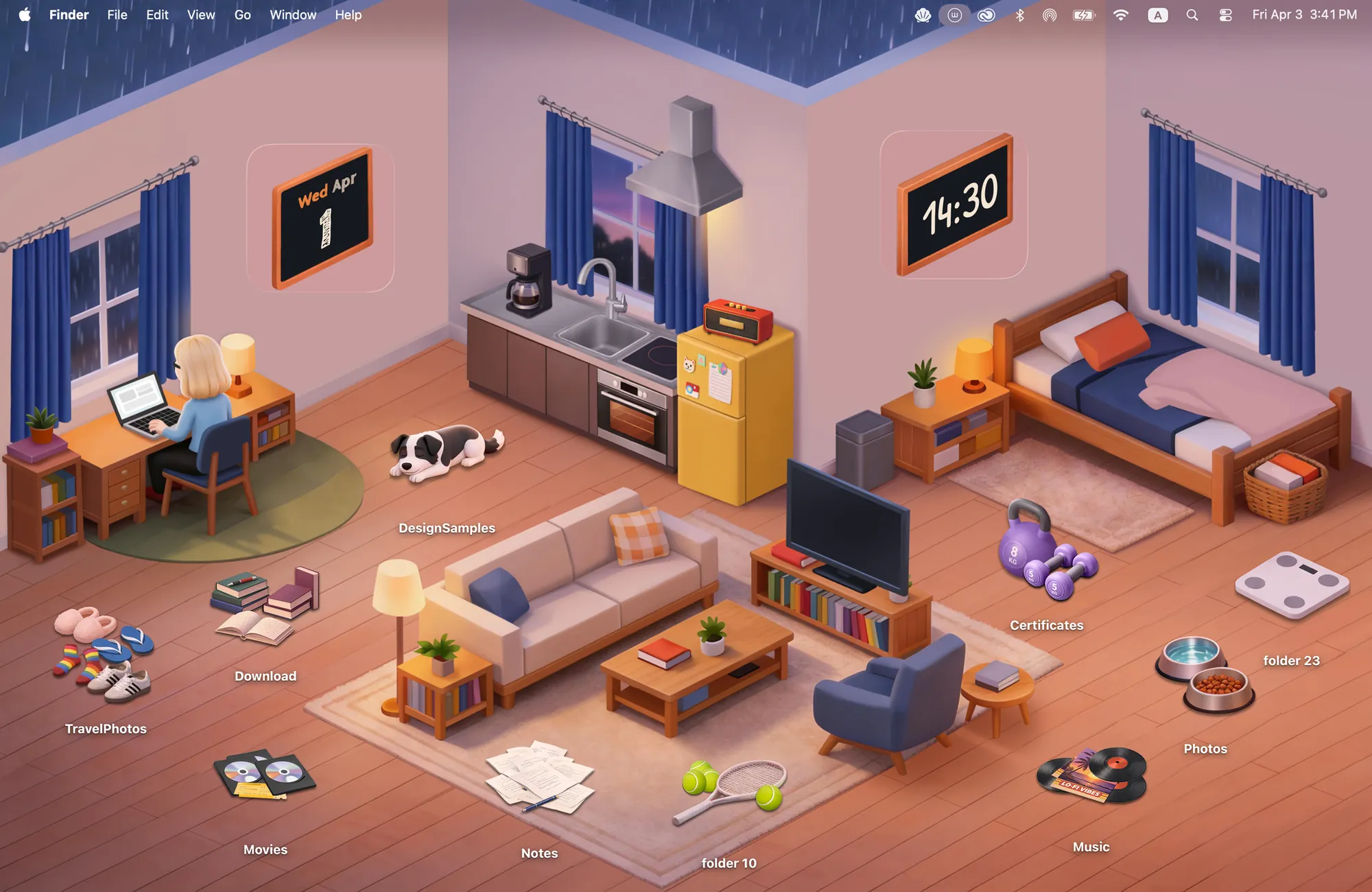
A matching desktop starts with one visual idea. In Warm Corner, a clock belongs on the wall, your folders become books and records, and the wallpaper gives everything a place to sit. Cozy carries that approach across cozy rooms, paper villages, glossy retro gadgets and pixel-art worlds.
Compare the themes and their widgets
Start with the atmosphere you want to see when you open your Mac. Every option below includes a wallpaper and folder icons; the widget column tells you what else belongs to that theme.
Swipe across the table to compare every detail.
| Theme | The look | Matching widgets |
|---|---|---|
| Warm Corner | A softly lit room, books and records | Clock, Calendar |
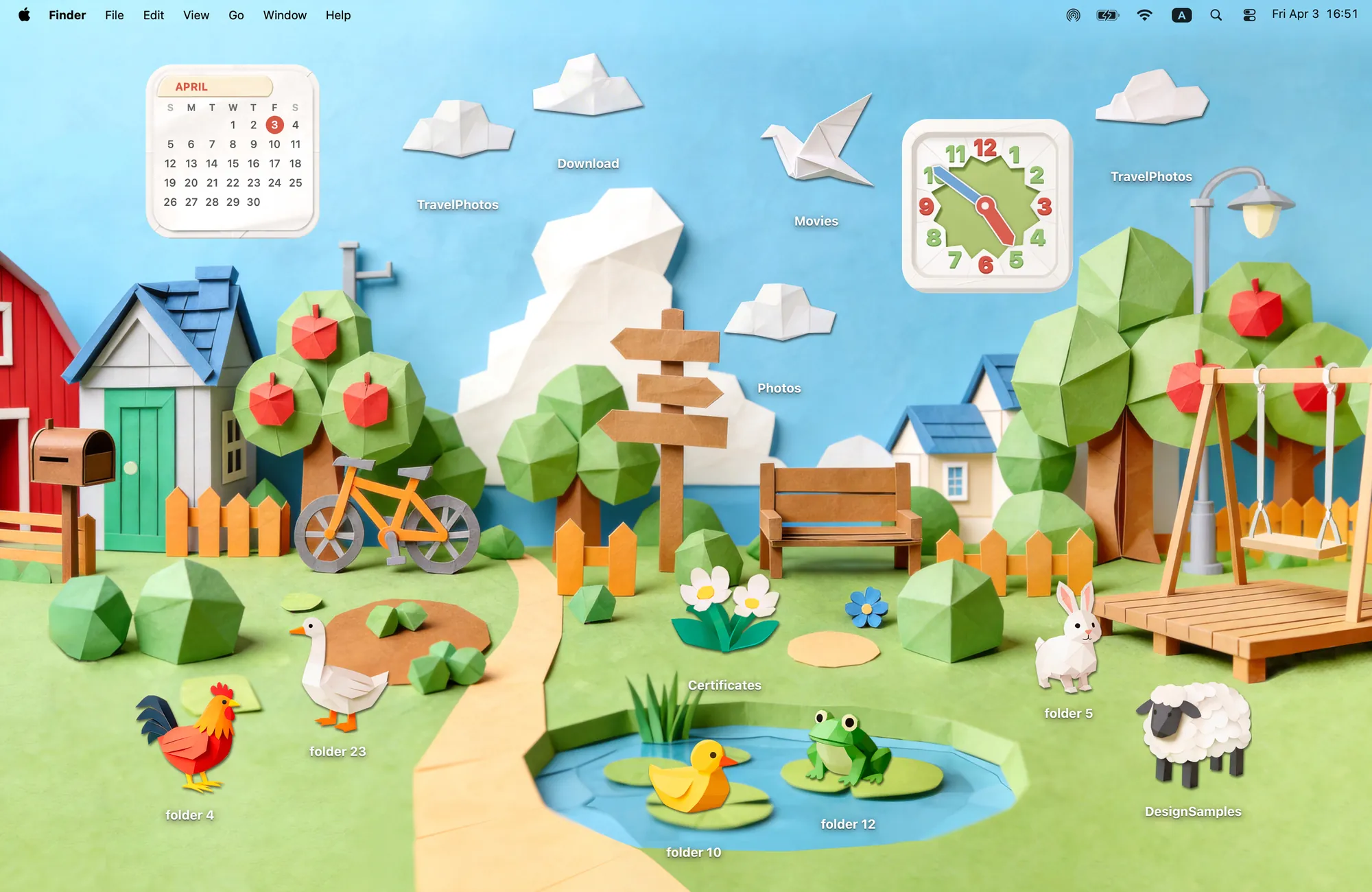
| Paper Village | A paper village with animals and clouds | Clock, Calendar |
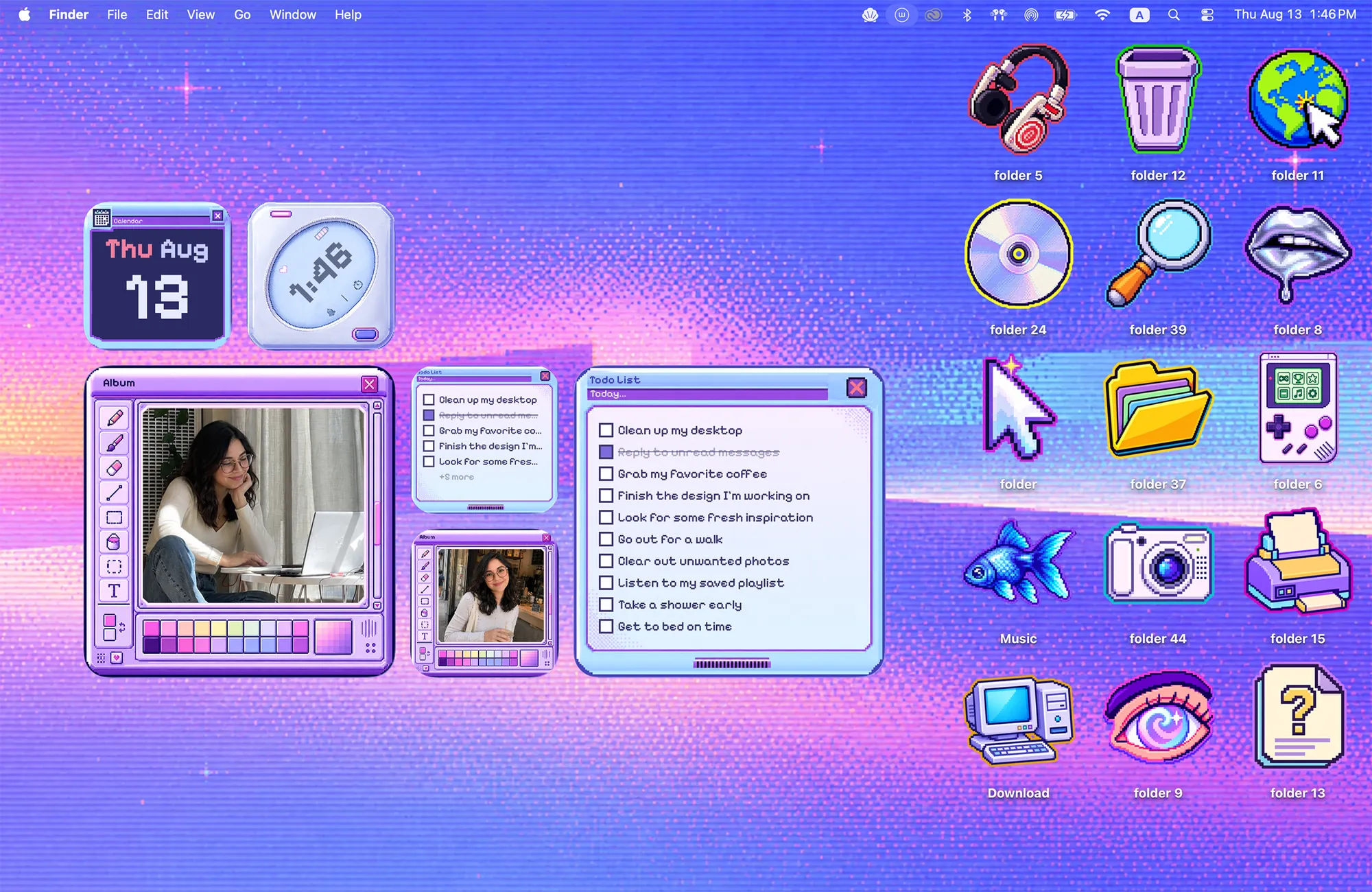
| Cyber Dream | Violet skies and pixel gadgets | Album, Todo, Clock, Calendar |
| Y2K Aesthetic | Blue gloss and early-2000s gadgets | Album, Todo |
| Morandi | Muted colors and a painted shelf | Album, Todo |
| Rainbow Felt | Colorful felt folders on a soft backdrop | None · free theme |
Three parts, one little world
The wallpaper sets the scene.
A room, a landscape or an abstract backdrop gives the desktop its mood and the objects their surroundings.
Your folders become part of it.
The icons share the illustration’s palette, shapes and texture. A folder can look like a book, a songbird or a tiny gadget.
Widgets finish the scene.
Selected themes add frames, notes or clocks drawn for that same setting. Choose a theme with the widget types you want.
Warm Corner is an example you can read at a glance: the rain and furniture belong to the wallpaper, the books and records are folder icons, and the wall clock and calendar are widgets. You still choose where to place your folders and widgets.
A different style, the same care
A tiny village for your files
Paper Village uses folded-paper forms throughout. Its 12 folder icons include animals, clouds, a crane and flowers. Put a duck near the pond or a sheep on the hill, then add the matching clock and calendar. It is a playful choice if you want your desktop to feel like a place.
A little more glow
Cyber Dream moves the same idea into a violet pixel sky, with 15 folder icons and Album, Todo, Clock and Calendar widgets. Choose it if you like a bolder desktop with plenty of matching details. For a blue, glossy alternative, compare it with Y2K in our retro Mac theme collection.
Something softer, or something personal
Morandi keeps the palette quiet and gives your photos a painted gold frame. Rainbow Felt focuses on colorful felt folder icons and a warm backdrop, without widgets. If a favorite photo is the center of your setup, see the camera, gallery and postcard photo themes.
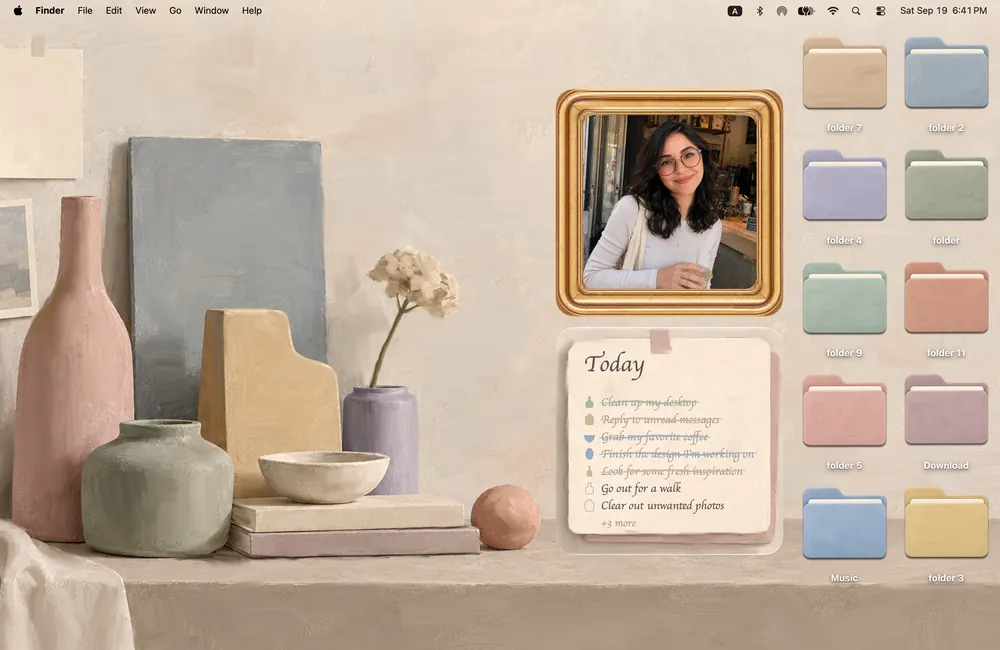
Morandi
Soft, muted and effortlessly calm. That cozy, slow-living feeling, in gentle Morandi tones.
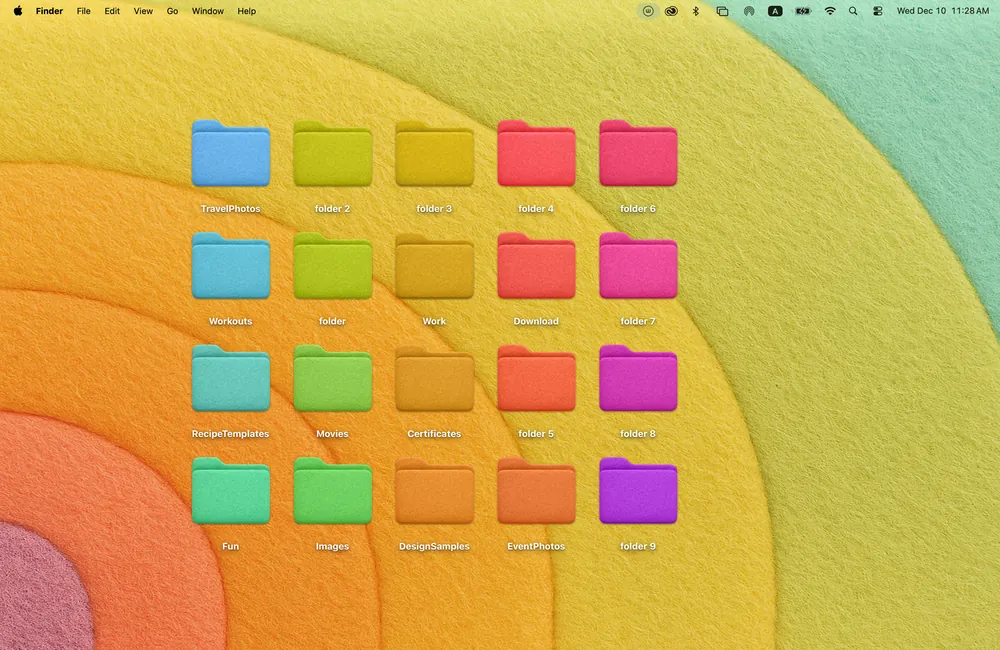
Rainbow Felt
Soft felt in every color of the rainbow. Simple, cheerful folders on a warm, cozy backdrop.
From a look you like to your own desktop
- Choose a theme in Cozy. Start with the free Rainbow Felt theme or unlock the full collection.
- Apply its wallpaper and folder icons. Arrange the folders you use where they feel natural in the scene.
- Add matching widgets, if included. Open macOS Edit Widgets, find Cozy and choose the widgets for your theme.
You need macOS 14 or later. For the individual setup steps, use our Mac desktop customization guide. To compare more styles first, browse all Cozy themes.
Want to start with a specific interest? Browse cute animal desktops, countryside scenes, painted and watercolor themes, or desktop ideas for climbers, gamers and music fans.
FAQ
What is included in a matching Mac desktop theme?
Every Cozy theme pairs a wallpaper with folder icons. Selected themes also include matching Album, Todo, Clock or Calendar widgets. The comparison above lists the widgets for each featured theme.
Does applying a theme also add the widgets?
No. Apply the wallpaper and folder icons in Cozy, then add supported widgets separately through macOS Edit Widgets.
Are these Mac themes free?
Cozy is free to download with Rainbow Felt. The other themes shown here are included in a one-time unlock, along with future themes. Cozy requires macOS 14 or later.
Get the whole look on your Mac
Cozy is free to try with Rainbow Felt. One purchase unlocks every theme, including new ones.

For Mac · macOS 14 or later