 Cozy
A little countryside for your Mac.
Paper villages, felt hills and tiny farms. See how nature-inspired wallpaper and folder icons can form one desktop landscape.
A cottagecore MacBook desktop can start with a simple wish: more greenery, less of the usual blue folders. Cozy’s nature themes turn those folders into animals, trees, clouds or garden plants. The background and the objects are illustrated together, so arranging your files also builds a little landscape.
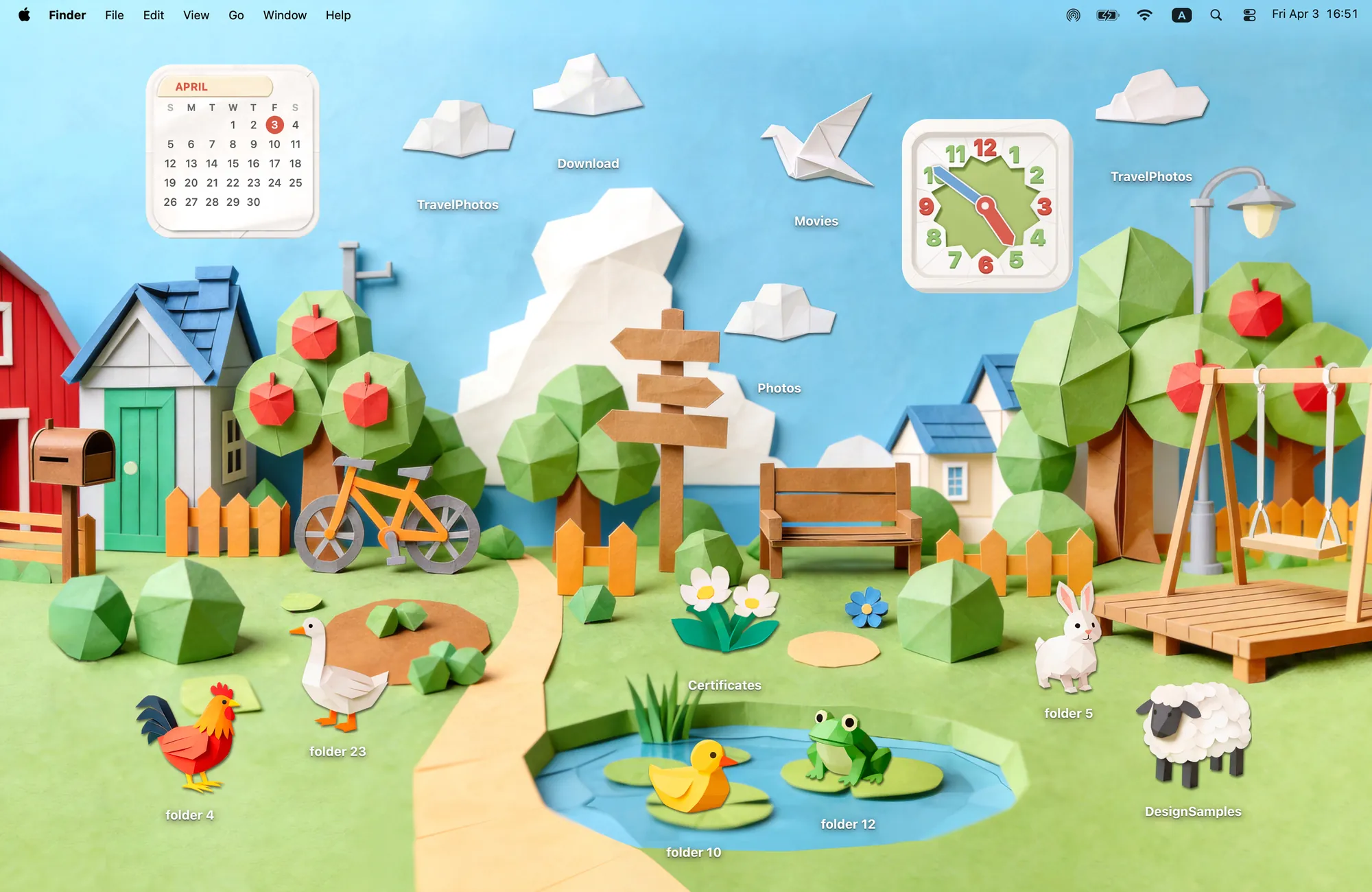
Paper Village: a handmade landscape with useful details
Paper Village uses the shapes of folded paper for the houses, trees, animals and clouds. Its 12 folder icons include six animals, four clouds, a crane and flowers. A duck folder belongs near the pond; a cloud folder belongs above the roofs. You decide where they go.
The matching Clock and Calendar are part of the appeal: they look like paper objects made for the same village. If you want a countryside desktop with time and date visible in the same style, this is the theme to start with.
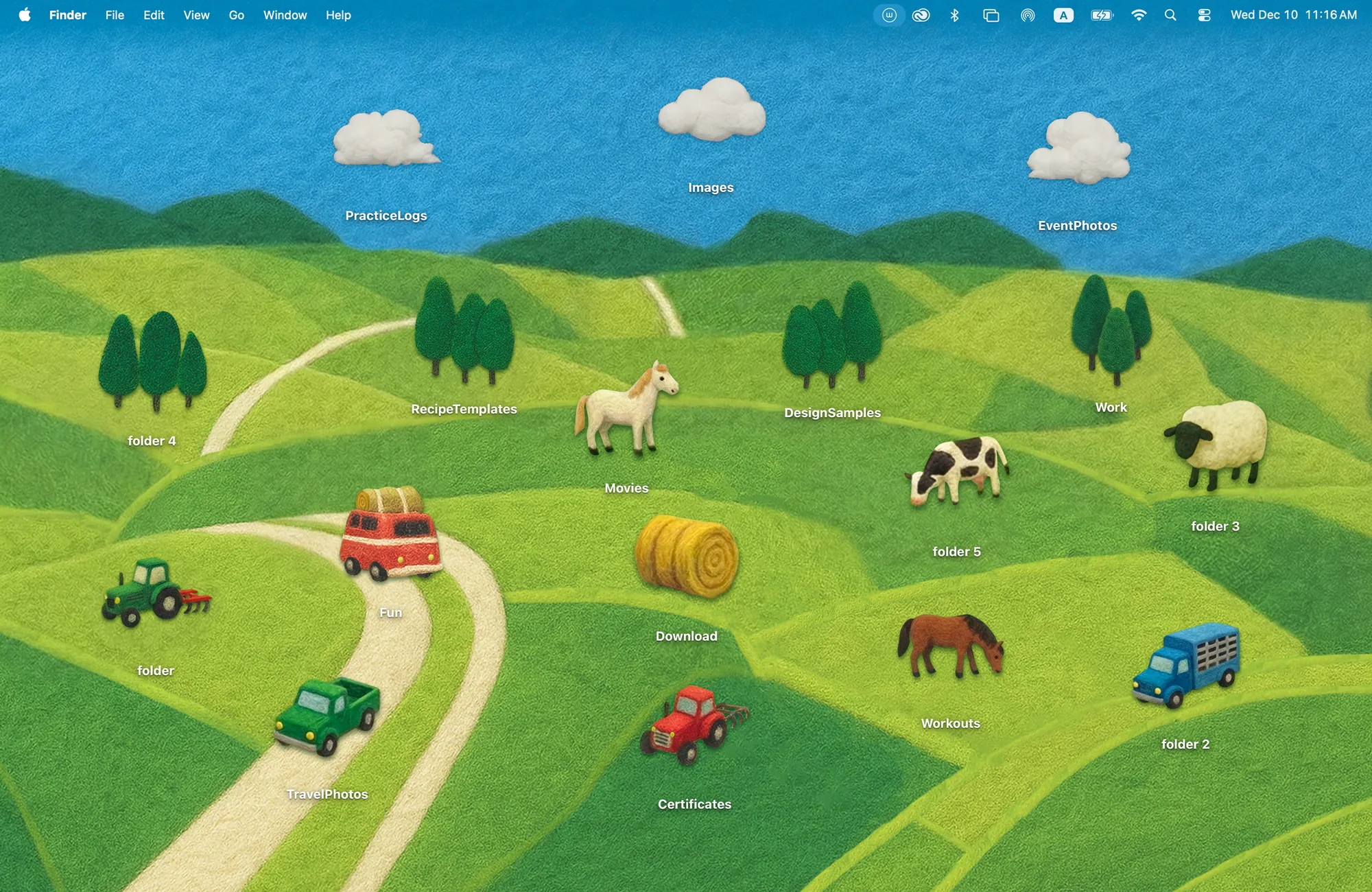
Country Road: green hills you can arrange
Country Road is a softer take on a rural desktop. Its felt hills and winding road are the wallpaper; 17 folder icons supply vehicles, animals, trees, clouds and a hay bale. Park a tractor on the road or place trees along the edge of the field.
Choose it if the part of cottagecore you like is open countryside rather than a busy cottage interior. It has no matching Cozy widgets, which leaves more room for the landscape and your folders.
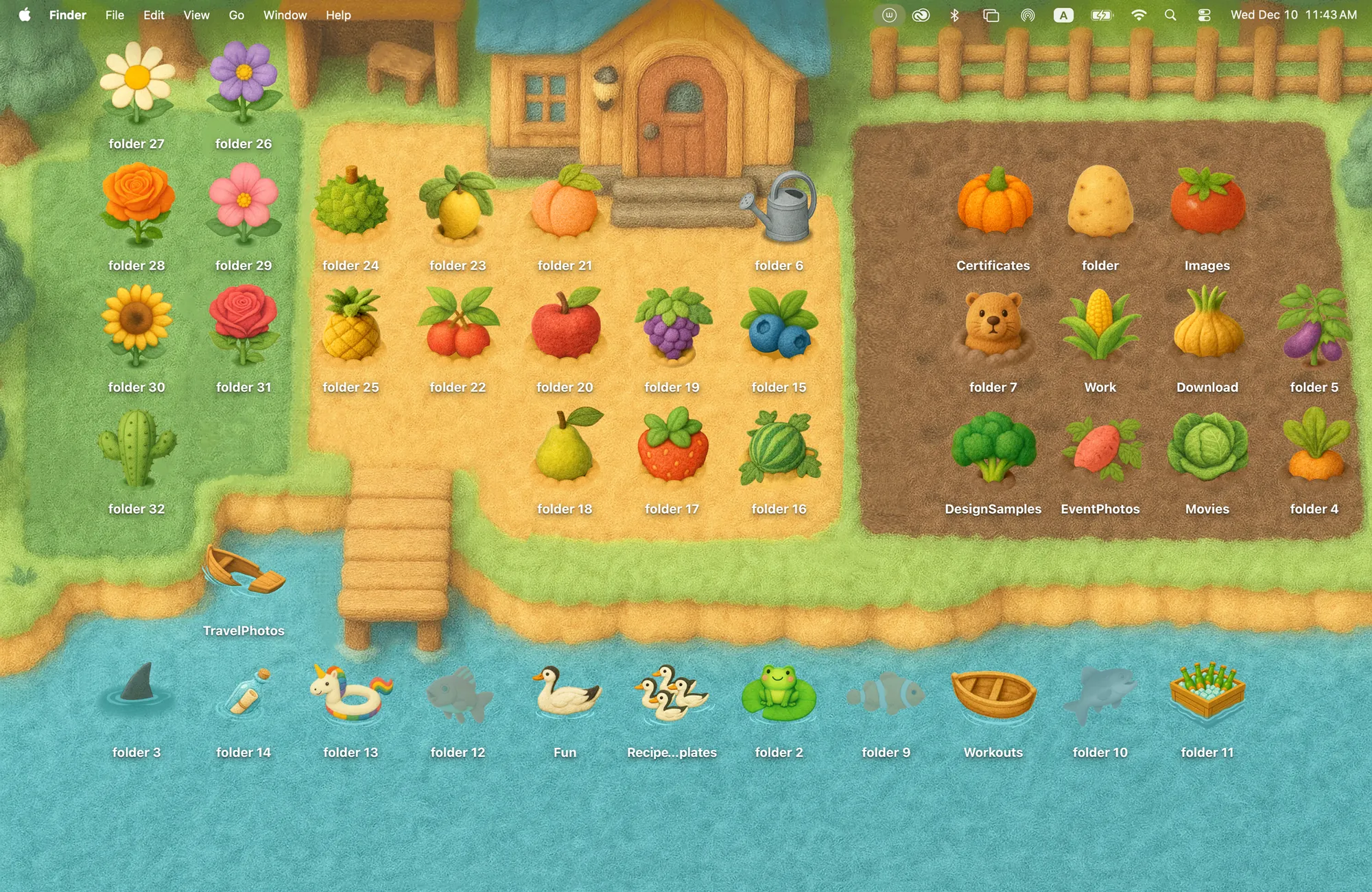
A garden to fill, or a meadow to leave open
Wool Farm offers 42 folder icons: fruits, vegetables, flowers, animals and waterside details. You can group work folders in a garden bed, place ducks by the water and use another patch for personal projects. These are arrangements you make yourself, not automatic file sorting.
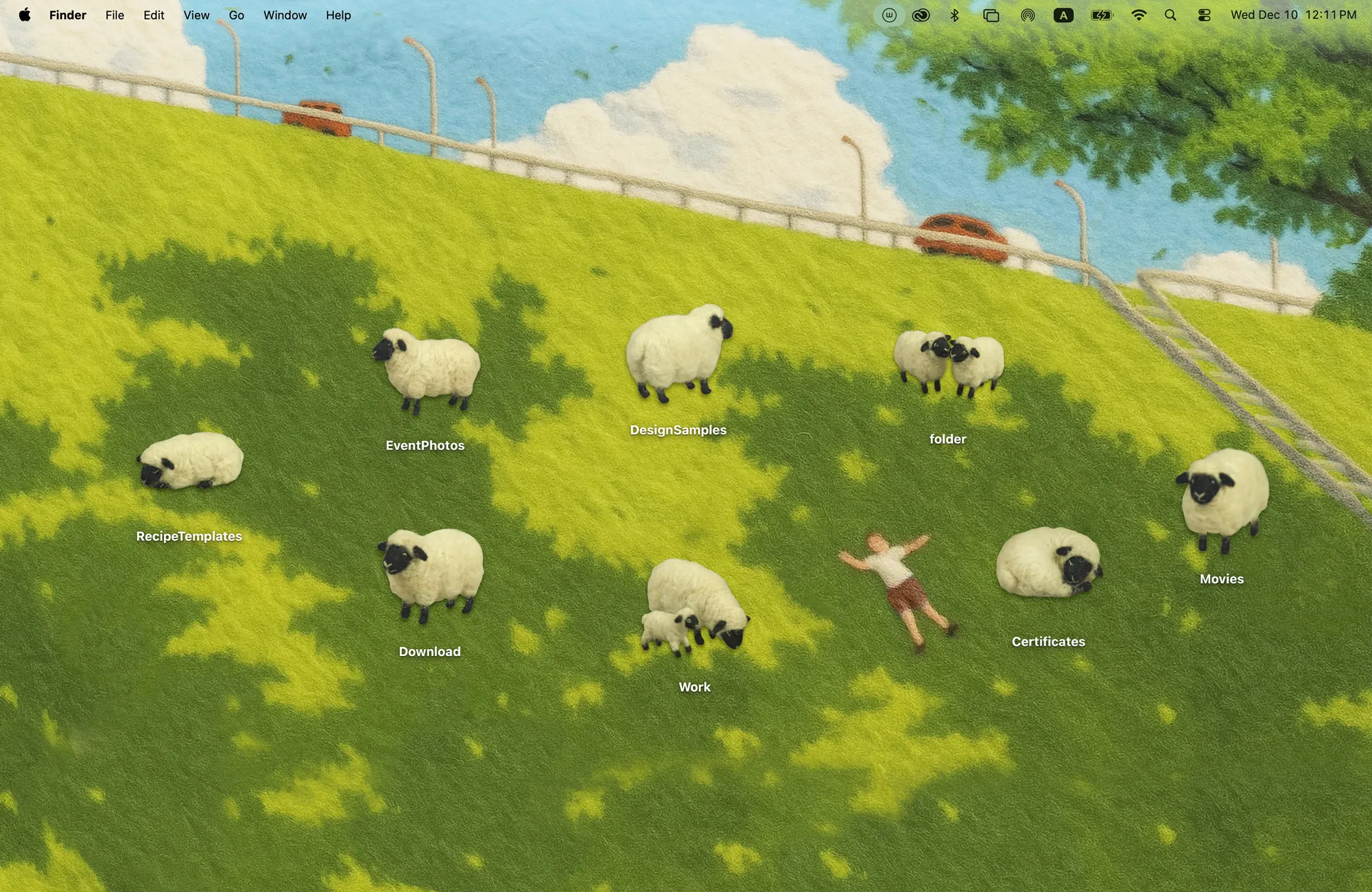
For fewer objects, Sheep Meadow keeps eight sheep icons on a sunny felt hillside. Some stand, some sleep, and one shows a mother with her lamb. It suits a desktop where only a handful of folders need to stay visible.
Choose by what you keep on your desktop
- A clock and calendar: Paper Village, with matching widgets added separately.
- Flexible countryside objects: Country Road, with 17 icons and an open felt landscape.
- Lots of different folder designs: Wool Farm, with 42 garden and animal icons.
- A small, quiet arrangement: Sheep Meadow, with eight sheep icons.
If you prefer animals as the main attraction, compare the cat, dog and penguin desktops. For a room instead of a landscape, try Warm Corner, with books and records as folders and chalkboard Clock and Calendar widgets.
Bring the countryside to your desktop
Download Cozy for macOS 14 or later. Rainbow Felt is free to try; this collection is included in the one-time unlock. Choose your theme and click Apply for the wallpaper and folder icons, then move the folders where you want them. For Paper Village, add the Clock and Calendar through macOS Edit Widgets.
FAQ
How do I make a cottagecore Mac desktop?
Start with a countryside or farm wallpaper and folder icons with the same palette and texture. Cozy’s Country Road uses felt hills and rural objects; Wool Farm uses plants and animals; Paper Village uses folded paper and includes matching Clock and Calendar widgets.
Which nature theme includes a clock and calendar?
Paper Village includes both. Country Road, Wool Farm and Sheep Meadow have wallpaper and folder icons but no matching Cozy widgets. Add Paper Village widgets separately through macOS Edit Widgets.
Can I move the trees and animals?
You can move the trees and animals that are folder icons by dragging their folders. Objects drawn into the wallpaper stay in place. These themes do not include farming-game mechanics.
Get the whole look on your Mac
Cozy is free to try with Rainbow Felt. One purchase unlocks every theme, including new ones.

For Mac · macOS 14 or later