 Cozy
Fun Mac desktops for climbers, gamers & music fans.
A sport you love, games you grew up with, music or miniature worlds. See four unexpected ways those interests can become a Mac desktop.
A folder shaped like a climbing hold. Your photos inside a retro camera. A clock folded from paper. A favorite sport, old games or making things by hand can be the starting point for a more interesting Mac desktop.
These four Cozy themes pair wallpaper with folder icons designed for the same scene. Selected themes add matching widgets too. See the complete looks below, then choose the one you want to use every day.
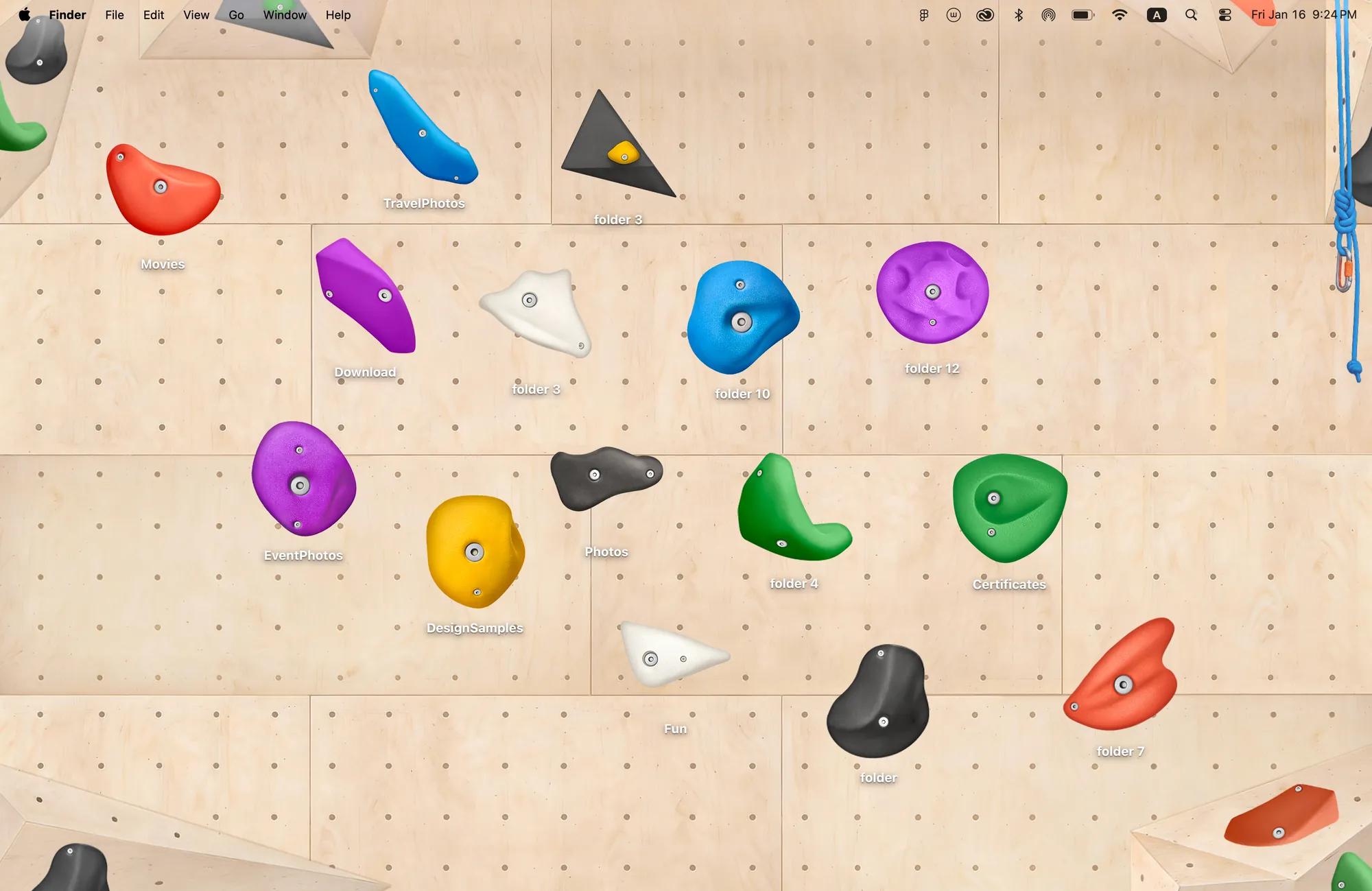
Love climbing? Your folders can become the holds.
Climbing Wall takes something familiar from the climbing gym and gives it a different job. The plywood wall is the wallpaper. Fifteen colorful holds are folder icons, in five large, five medium and five small designs.
Drag a project folder higher up the wall or place a few folders in a line like a route. You still open and use them as normal folders. The holds’ colors, shadows and bolts are designed for the same wall, which is what makes the arrangement read as a scene.
This theme has no matching widgets. Its main idea is the relationship between the wall and the folders: a small reminder of a sport you enjoy whenever you return to the desktop.
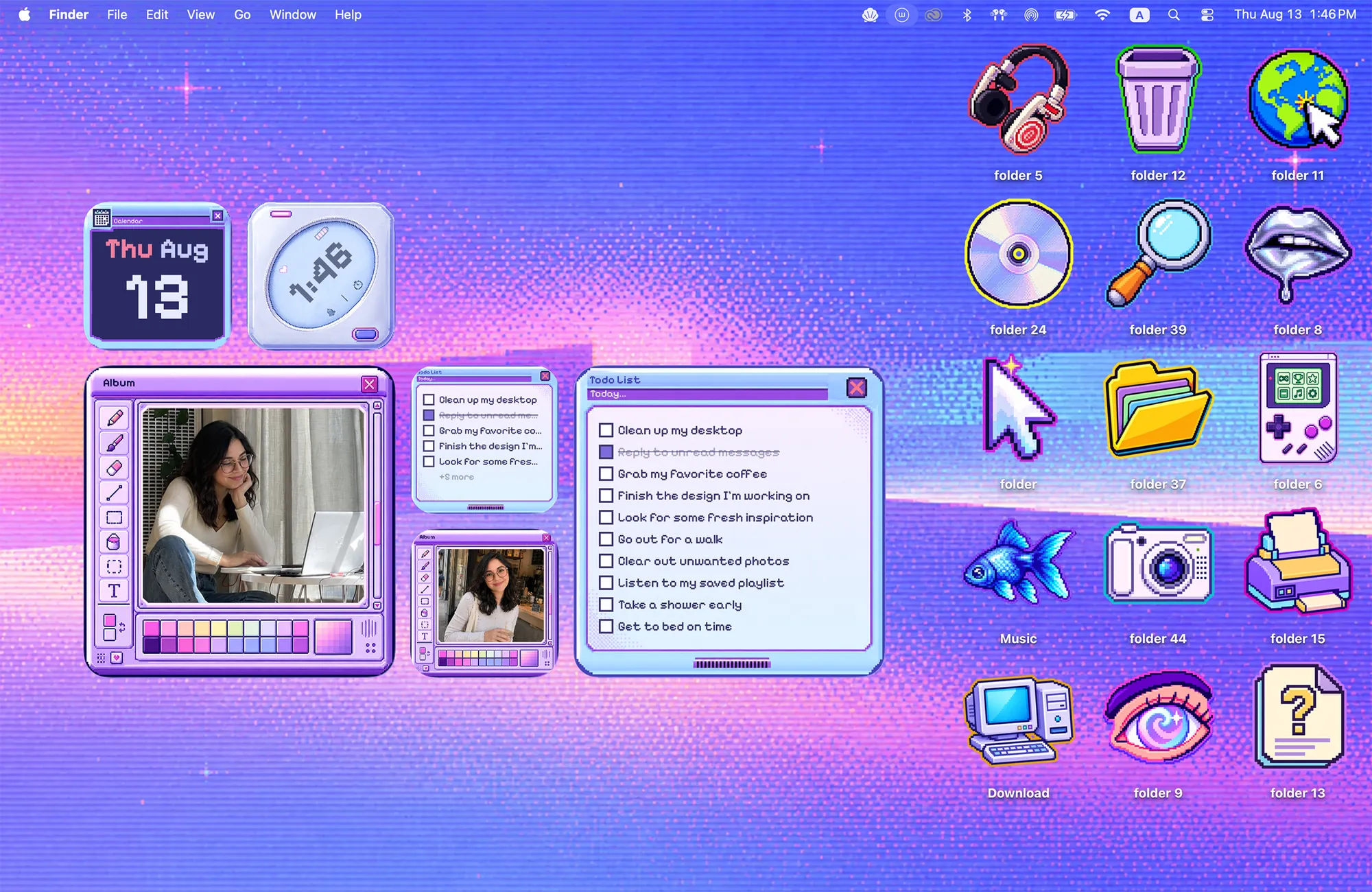
Like old games? Bring that visual world into everyday tools.
Cyber Dream uses pixel art and old-computer window frames for a desktop that feels familiar to retro-game fans. A violet sky sets the background, 15 pixel folder icons fill the scene, and six widget designs cover Album, Todo, Clock and Calendar.
The photo frame and to-do list look like little windows from another era, but they hold your own photos and tasks. If you like that style and want practical widgets alongside it, this is the most complete set of the four ideas here. It does not run games or replace macOS app windows.
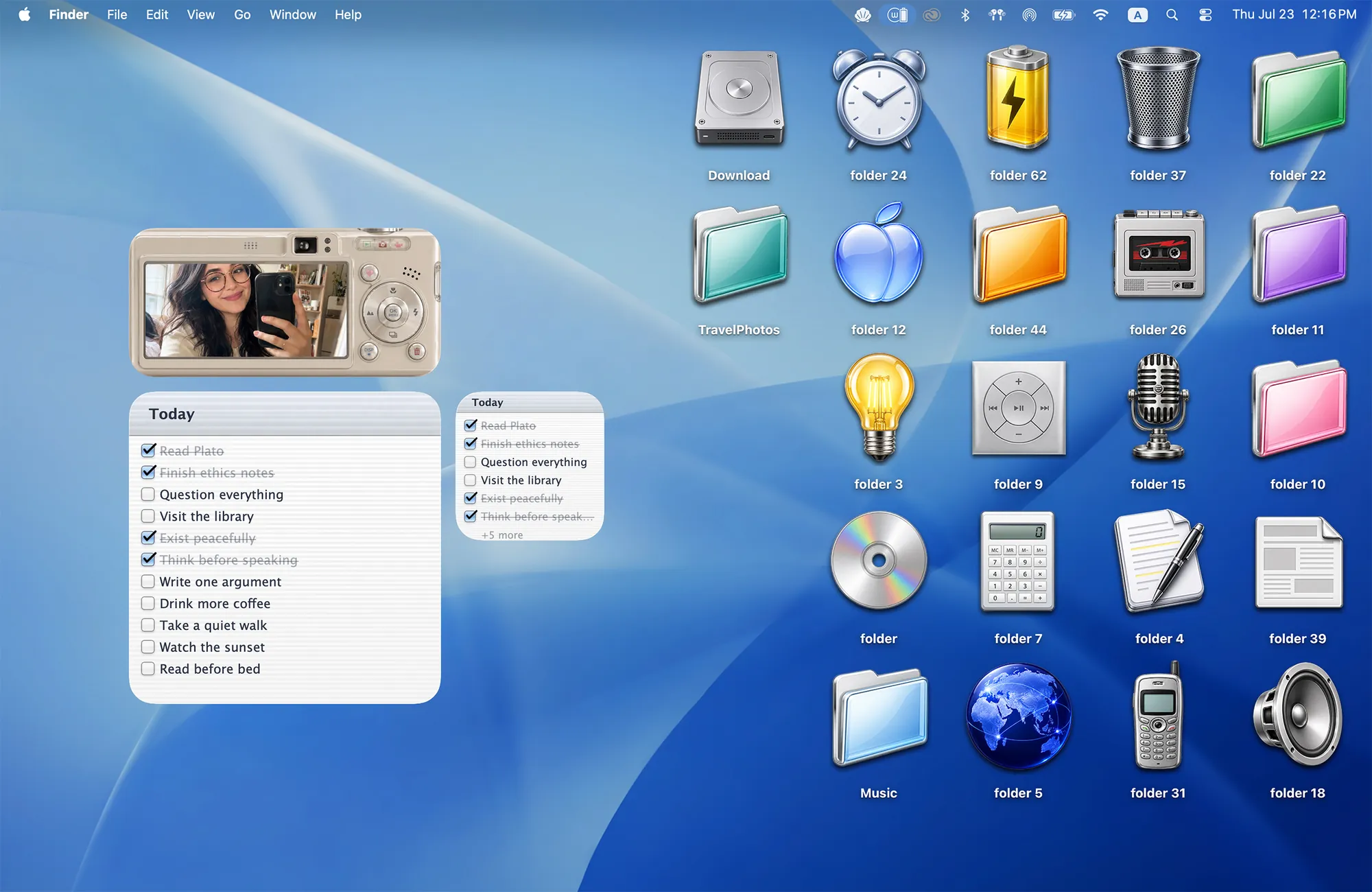
Miss CDs and digital cameras? Make room for those objects again.
Y2K Aesthetic pairs a glossy blue wallpaper with 22 folder icons, including music objects, retro gadgets and shiny folders. A CD or microphone can become a folder for playlists, recordings or a creative project.
The matching Album widget frames your photos inside a digital camera, while Todo looks like a lined notepad. Choose this theme for early-2000s nostalgia; compare the full set with Cyber Dream in our retro Mac theme guide.
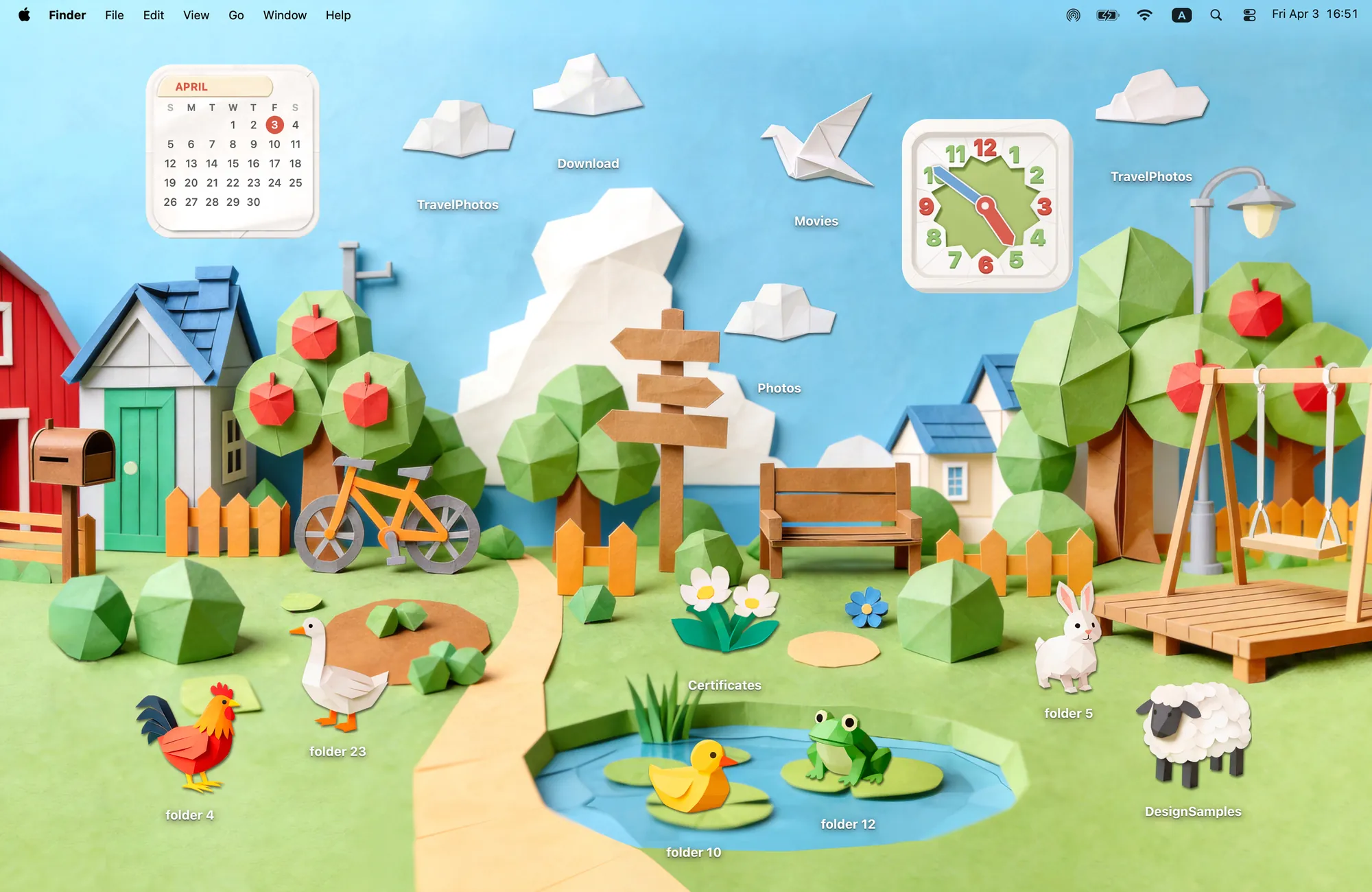
Enjoy making little worlds? Arrange a village on your screen.
Paper Village will make sense if you like papercraft, miniatures or building cozy scenes. The barn, trees and landscape look folded from paper. Its 12 folder icons include animals and clouds that you can place around the village.
A duck folder goes by the pond; a cloud goes above the rooftops. Add the matching paper Clock and Calendar to keep time and date in the same style. For more landscapes, explore our countryside and nature collection.
Pick the idea you want to see every day
You do not have to match your whole room or buy new desk accessories. These ideas change the desktop on the Mac you already use. Download Cozy for macOS 14 or later, choose a theme and click Apply for its wallpaper and folder icons. Add included widgets separately through macOS Edit Widgets.
Rainbow Felt is free to try. The four themes above are included in the one-time unlock. If animals or painting are closer to your interests, compare cute animal desktops or art-inspired themes next.
FAQ
How can I make my Mac desktop more fun?
Start with something you already enjoy: a sport, games, music or making things. Cozy turns those interests into illustrated desktops, such as climbing holds as folder icons or retro-style windows as photo and to-do widgets.
What desktop idea would suit someone who loves climbing?
Cozy’s Climbing Wall theme puts 15 climbing-hold folder icons on a plywood wall wallpaper. You arrange the folders across the wall yourself. It includes no matching widgets and is not a climbing game or training tool.
What if I like retro games but want useful desktop widgets?
Cyber Dream combines a pixel-art wallpaper with 15 folder icons and matching Album, Todo, Clock and Calendar widgets. It is a visual desktop theme, not a game or an emulator.
Can I apply the whole look at once?
Cozy applies the wallpaper and folder icons together. For themes with matching widgets, add those separately through macOS Edit Widgets. Cozy requires macOS 14 or later; the themes in this guide are part of the one-time unlock.
Get the whole look on your Mac
Cozy is free to try with Rainbow Felt. One purchase unlocks every theme, including new ones.

For Mac · macOS 14 or later