 Cozy
CozyCyber Dream
Step into a violet sky made of squares. Everything glows, nothing closes, no one logs off.
Get Cyber Dream in Cozy for Mac
Fifteen pixel icons, six matching widgets, one sky that never goes dark. Move in and never log off.
What's included
- 15 folder icons: Desktop Classics 9, Retro Gadgets 3, Dream Charms 3
- Widgets: Album, Todo, Clock & Calendar
- One wallpaper, drawn together with the icons and widgets
One space, designed together
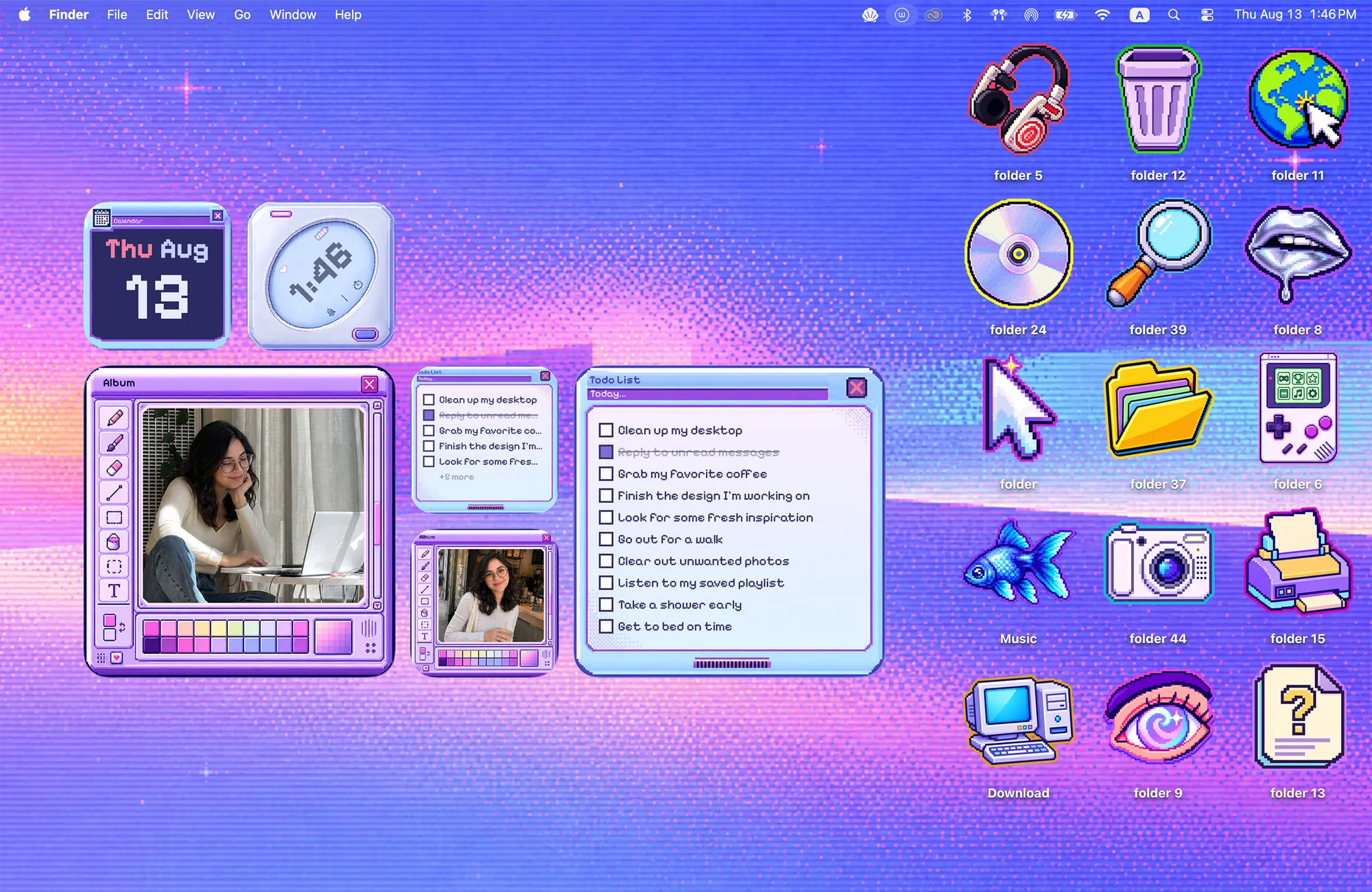
Cyber Dream is a violet sky made of squares, and everything on it is built from the same pixels. The fifteen icons are desktop classics like a trash can, a globe and a floppy-era computer, plus a few dream charms. The widgets look like windows from an old operating system: a photo album, a to-do list, a clock and a calendar. Together they make a desktop that feels like one glowing world where nothing ever logs off.
Best for
- Night owls who like a bright, glowing screen
- Gamers and pixel art fans
- A purple aesthetic desktop that still keeps your day organized
How to get this look on your MacBook
- Download Cozy from the Mac App Store. It is free to try.
- Open Cozy from the menu bar and pick Cyber Dream.
- Click Apply. Your desktop wallpaper and folder icons change together, and your MacBook home screen looks like the picture above. Then add the matching widgets from the widget gallery.
FAQ
What widgets come with Cyber Dream?
Six widgets in total: two photo albums, two to-do lists and a clock and calendar set, all drawn as retro pixel windows.
Is Cyber Dream pixel art?
Yes. The sky, the icons and the widget frames are all drawn in a pixel style so they match.
Does Cyber Dream work on MacBook Air, MacBook Pro and MacBook Neo?
Yes. Cozy runs on any Mac with macOS 14 or later and fits each theme to MacBook and iMac screens.
Is Cyber Dream free?
Cozy is free to download with one free theme, Rainbow Felt. Cyber Dream is included in the one-time unlock, along with every other theme and future ones.
Can I go back to my old folder icons?
Yes. Folder icons are a standard macOS setting, and you can restore the default icons at any time.
Get the whole look on your Mac
Cozy is free to try with Rainbow Felt. One purchase unlocks every theme, including new ones.
Download Cozy on the Mac App Store