 Cozy
Art for your Mac. Down to the folder icons.
A sunflower painting, a muted still life or watercolor streets. Choose a desktop where the wallpaper, folder icons and photo frames share one artistic style.
If you want a painting on your Mac desktop, the wallpaper is only the starting point. Ordinary folders can interrupt the picture, and an unrelated photo frame can look out of place. Cozy’s art-inspired themes carry the same palette and texture through the wallpaper, folder icons and widget frames, so the whole arrangement looks intentional.
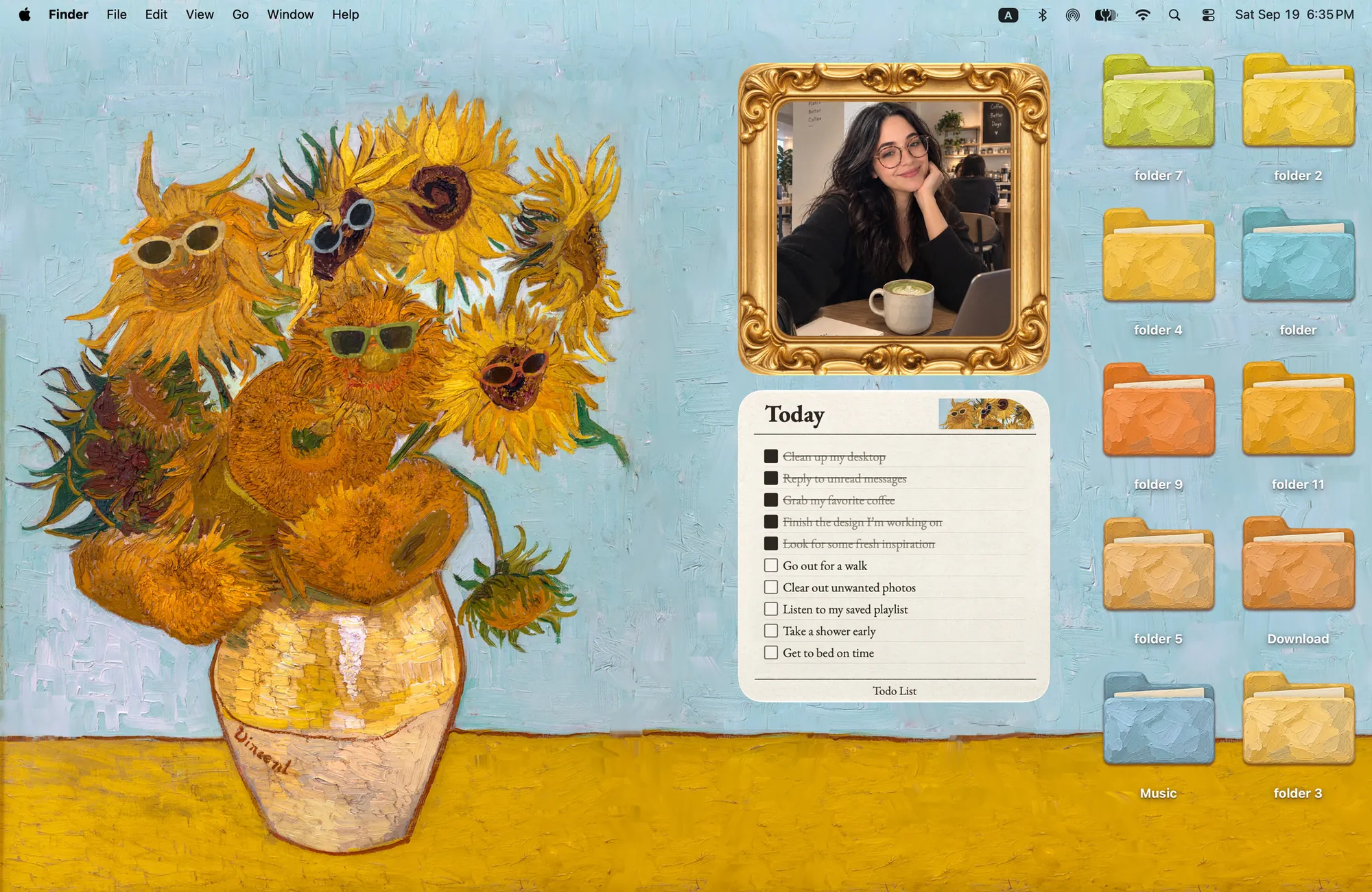
For bold color: sunflowers, with a playful twist
Sunflowers in Shades takes the idea of Van Gogh’s sunflowers and adds sunglasses. This is a new illustration, with sunny yellow against sky blue and ten folder icons that share its oil-paint texture.
The gold Album frame and Todo card are drawn to match. Put a favorite photo beside the vase and keep today’s list in the same visual style. Choose this theme if you like your desktop bright and expressive rather than neutral.
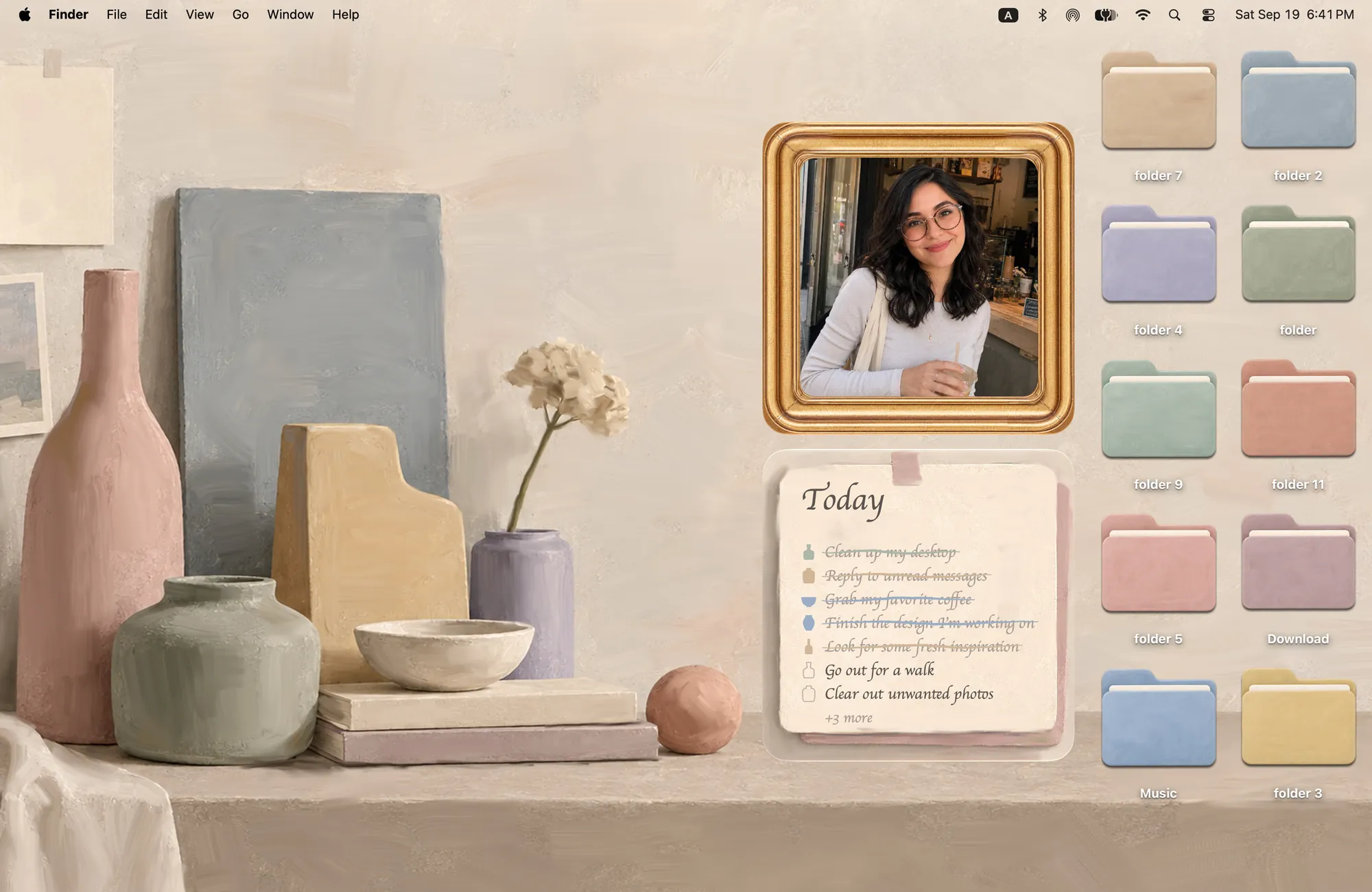
For a quieter screen: a muted still life
Morandi uses dusty pink, sage, cream and stone around a shelf of painted vases. Ten folder icons share those soft tones. A painted gold photo frame and a paper Todo note complete the set.
This is a practical choice if you want a beige or neutral MacBook wallpaper without having to find separate icons that match it. Keep only your current projects on the desktop, leaving some of the painted shelf visible between them.
For travel memories: a watercolor street
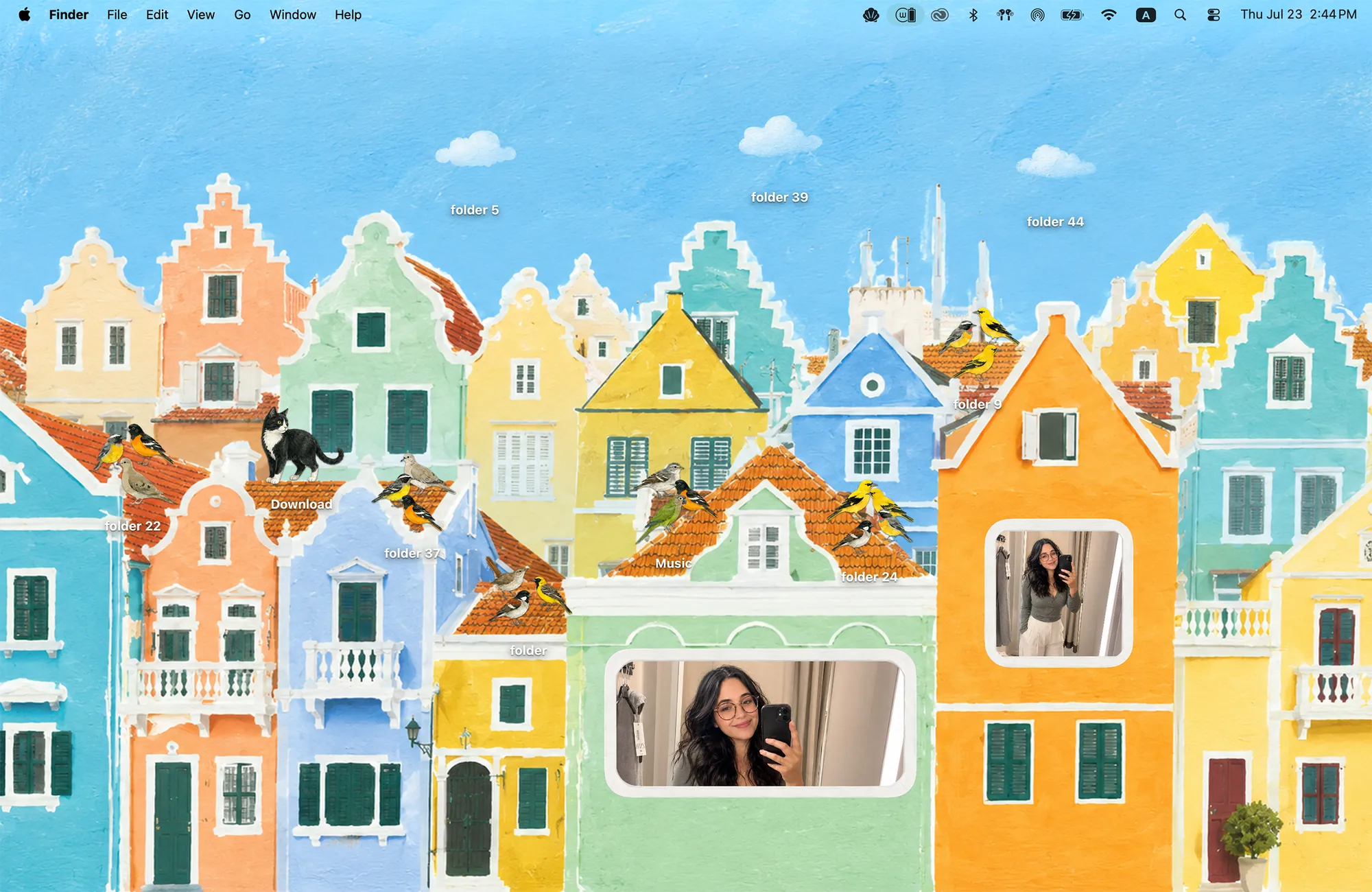
Curaçao puts colorful Caribbean houses across the wallpaper. Ten folder icons become six songbirds, three clouds and an island cat. The Album widgets look like windows and postcards, with three frame sizes to choose from.
A holiday photo feels at home in that setting because the surrounding frame belongs to the same illustrated street. Curaçao includes photo widgets but no matching Todo widget; choose Morandi or Sunflowers in Shades if you want both photos and a list.
Make room for your own photographs
These frames display images you add from your Mac. Start with one favorite picture or add several to an album. Cozy’s Album widgets share a photo library, so changes to that library affect the other Album widgets too.
Keep the picture itself simple when the frame and wallpaper already have lots of detail. A single portrait or landscape usually gives the surrounding illustration more room. For a different kind of frame, see the retro camera and postcard photo-widget collection.
Apply the look, then add the frames
- Get Cozy for macOS 14 or later. These art themes are included in the one-time unlock; Rainbow Felt is free to try.
- Select a theme and click Apply. Its wallpaper and folder icons change together.
- Open macOS Edit Widgets, find Cozy and add the theme’s Album widget. Add Todo too if your chosen theme includes it.
- Click the Album widget to add your photos and adjust their crops.
For the full walkthrough, read how to add a photo widget to your Mac. To compare the different looks before choosing, browse matching Mac desktop themes.
FAQ
How can I make an art-inspired Mac desktop?
Choose a painted wallpaper, folder icons and widget frames with a shared palette and texture. Cozy’s Sunflowers in Shades, Morandi and Curaçao each provide a coordinated illustration with folder icons and Album widgets.
Can I add my own photos to the painted frames?
Yes. Add a Cozy Album widget through macOS Edit Widgets, then click it to open the album editor and add photos from your Mac. Cozy Album widgets use a shared photo library.
Which art themes include a to-do widget?
Sunflowers in Shades and Morandi include Album and Todo widgets. Curaçao includes Album widgets, with no matching Todo widget.
Is Sunflowers in Shades a scan of a Van Gogh painting?
No. It is a new illustration inspired by Van Gogh’s sunflowers, with sunglasses, matching oil-paint-style folder icons and coordinated widgets.
Get the whole look on your Mac
Cozy is free to try with Rainbow Felt. One purchase unlocks every theme, including new ones.

For Mac · macOS 14 or later