 Cozy
CozyPaper Village
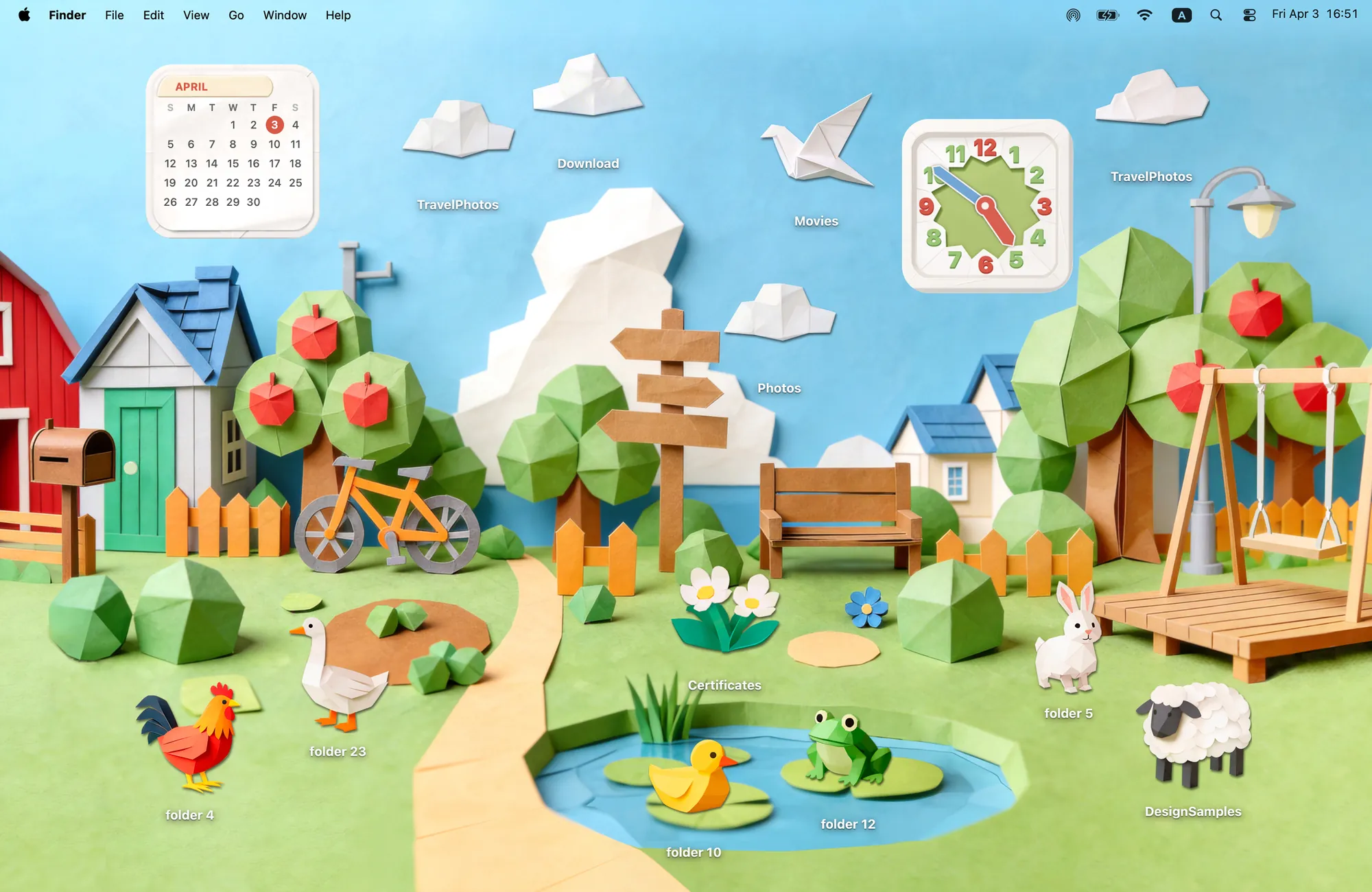
Look closer. The barn is paper. The duck is paper. Even the tiny rooster is paper.
Get Paper Village in Cozy for Mac
Every icon has a spot in the village. The duck goes by the pond. The sheep gets the hill. You decide where everyone lives.
What's included
- 12 folder icons: Animals 6, Clouds 4, Paper Crane 1, Flowers 1
- Widgets: Clock & Calendar
- One wallpaper, drawn together with the icons and widgets
One space, designed together
Paper Village is a papercraft town where the barn, the trees and even the tiny rooster are folded paper. Every icon has a spot waiting for it: the duck goes by the pond, the sheep gets the hill, and the paper crane flies over the rooftops. The calendar and the clock are folded from the same paper, pinned into the sky. You decide where everyone lives, and the village still looks like one handmade diorama.
Best for
- A cute desktop with a calendar and clock always in view
- Origami and craft lovers
- Kids' school laptops and teachers' Macs
How to get this look on your MacBook
- Download Cozy from the Mac App Store. It is free to try.
- Open Cozy from the menu bar and pick Paper Village.
- Click Apply. Your desktop wallpaper and folder icons change together, and your MacBook home screen looks like the picture above. Then add the matching widgets from the widget gallery.
FAQ
What widgets come with Paper Village?
A clock and a calendar, both folded from paper to match the village.
What icons are in Paper Village?
Twelve icons: six paper animals, four clouds, a paper crane and a flower.
Does Paper Village work on MacBook Air, MacBook Pro and MacBook Neo?
Yes. Cozy runs on any Mac with macOS 14 or later and fits each theme to MacBook and iMac screens.
Is Paper Village free?
Cozy is free to download with one free theme, Rainbow Felt. Paper Village is included in the one-time unlock, along with every other theme and future ones.
Can I go back to my old folder icons?
Yes. Folder icons are a standard macOS setting, and you can restore the default icons at any time.
Get the whole look on your Mac
Cozy is free to try with Rainbow Felt. One purchase unlocks every theme, including new ones.
Download Cozy on the Mac App Store