 Cozy
Retro Mac themes, with a little nostalgia.
Glossy Y2K gadgets, a violet pixel sky or an underwater pixel world. Three retro desktop themes with wallpapers and folder icons designed together.
A retro Mac desktop can mean blue glass and a digital camera, glowing pixel windows, or a quiet game-like landscape. These three Cozy themes take different routes into that feeling, with folder icons drawn to match the wallpaper. Two also include themed widgets.
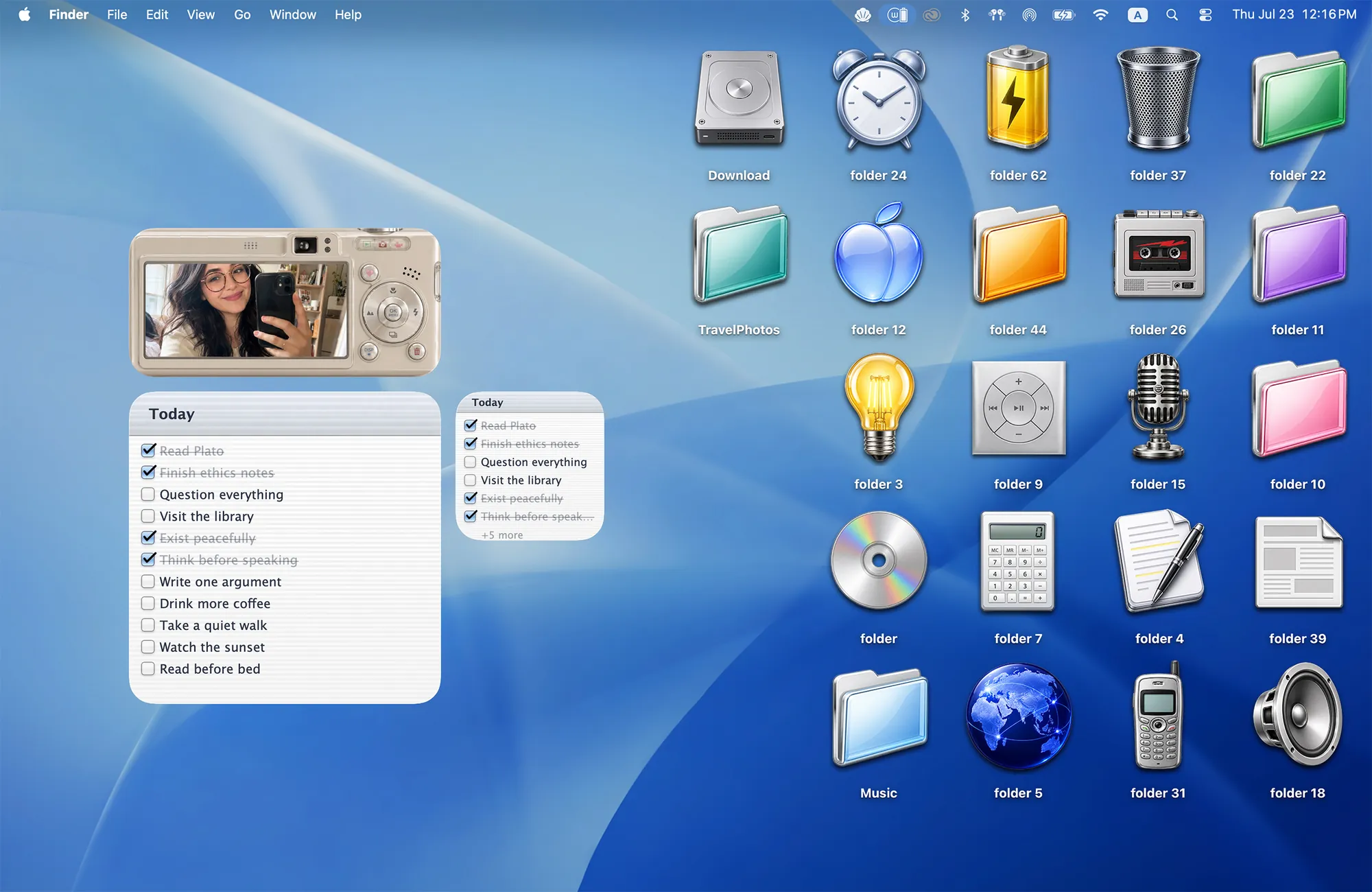
Y2K Aesthetic: blue gloss and a little digicam
If your idea of a Y2K MacBook desktop includes shiny folders, CDs and a digital camera, start here. Y2K Aesthetic pairs a blue wallpaper with 22 folder icons: glossy folders, music objects, retro tech and desk essentials.
The Album widget looks like a camera holding your own photo. A matching Todo widget keeps notes in the same visual language. There is enough blue space to let a small arrangement of folders stand out without filling the screen.
Choose this look for: early-2000s gadget nostalgia, glossy blue desktops and a personal photo at the center of the setup.
Keep the camera above your to-do list and group a few music or tech folder icons beside it. The objects share the wallpaper’s reflective feel, so the desktop reads as one collection.
Cyber Dream: a violet pixel-art desktop
Cyber Dream is the brighter, more fantastical option. Its violet sky, 15 pixel folder icons and matching widgets suit a cybercore-inspired Mac setup: colorful, nostalgic and a little unreal.
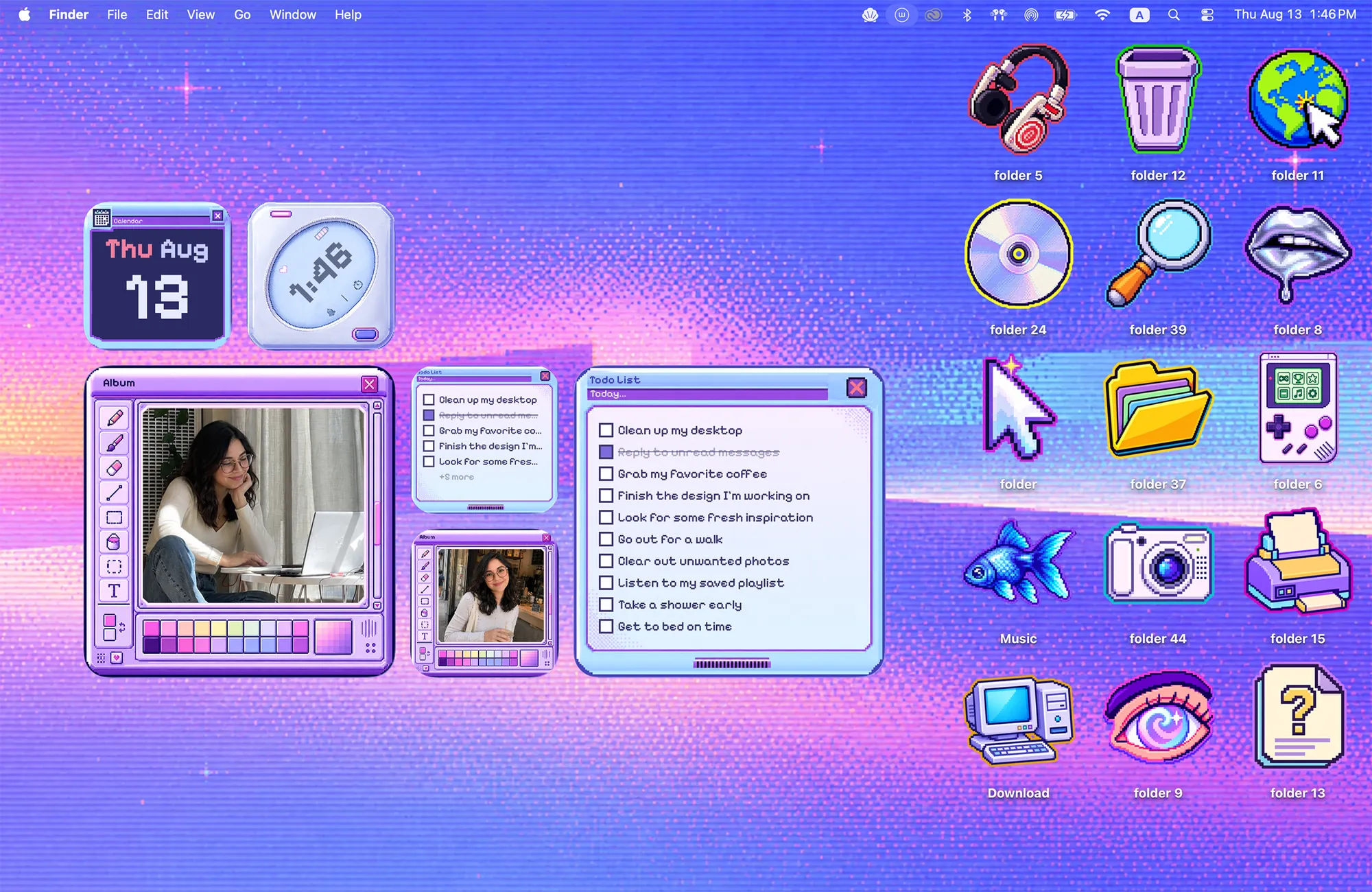
The theme includes Album, Todo, Clock and Calendar widgets. Pixel borders and retro gadget shapes connect the useful pieces to the wallpaper. If you want both personal photos and everyday information to match, this is the most varied widget selection of the three.
Choose this look for: purple pixel art, retro digital gadgets and a desktop that feels like an imaginary computer world.
Give the Album and Todo widgets a shared area, then leave some of the pixel sky visible between your folders. A few well-spaced objects make the details easier to enjoy.
Deep Dive: a quieter pixel world
Deep Dive takes pixel art underwater. The scene pairs a reef wallpaper with 22 folder icons: 20 fish, a hermit crab and a diver. Your files become small discoveries in the landscape.
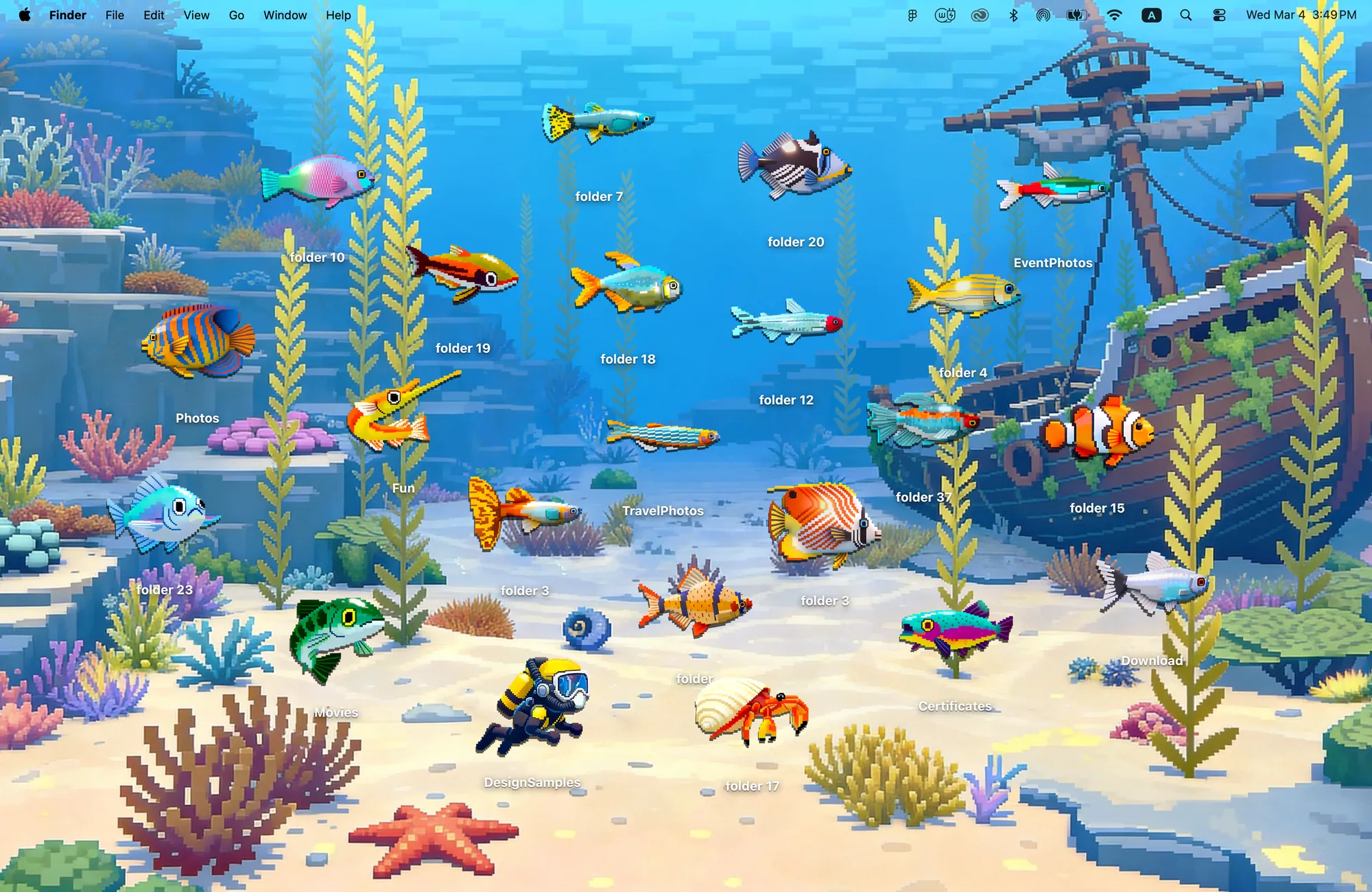
There are no matching widgets in Deep Dive. Choose it when the illustrated environment and folder icons are enough for the look you want. Keep open water around your most-used folders so they are easy to find.
Choose this look for: pixel-game scenery, ocean colors and a calmer alternative to neon.
Which retro look should you choose?
Swipe across the table to compare every detail.
| Theme | Folder icons | Matching widgets | Start here if you like… |
|---|---|---|---|
| Y2K Aesthetic | 22 | Album, Todo | Blue gloss and digicams |
| Cyber Dream | 15 | Album, Todo, Clock, Calendar | Violet pixel art and cybercore |
| Deep Dive | 22 | None | Quiet pixel-game worlds |
These are desktop themes for modern macOS. They change the wallpaper and folder-icon look; supported widgets are added separately. They do not change app windows, menus or the Dock, and they do not run an older Mac operating system.
Bring the look to your Mac
Install Cozy on a Mac running macOS 14 or later. The three retro themes are included in the one-time unlock. Pick your theme and apply the wallpaper and folder icons, then use macOS Edit Widgets to add any matching widgets you want.
For the camera setup, follow how to add your own photos. For a different mood, explore matching Mac desktop themes or compare other themed photo frames.
FAQ
Can I get a Y2K aesthetic on my MacBook?
Yes. Cozy’s Y2K Aesthetic theme pairs a blue wallpaper with 22 glossy folder icons, a digital-camera Album widget and a Todo widget. It requires macOS 14 or later and the one-time unlock.
Which retro theme has a photo widget?
Y2K Aesthetic and Cyber Dream include Album widgets. Deep Dive includes a wallpaper and 22 pixel-art folder icons, with no matching widgets.
Will a retro theme change macOS menus, app windows or the Dock?
No. These themes style the desktop wallpaper, folder icons and supported widgets. They do not replace the macOS interface or emulate an old operating system.
Get the whole look on your Mac
Cozy is free to try with Rainbow Felt. One purchase unlocks every theme, including new ones.

For Mac · macOS 14 or later