 Cozy
CozyClimbing Wall
Bright holds on warm plywood. Your cozy climbing wall to grab, climb and grow. One folder at a time.
Get Climbing Wall in Cozy for Mac
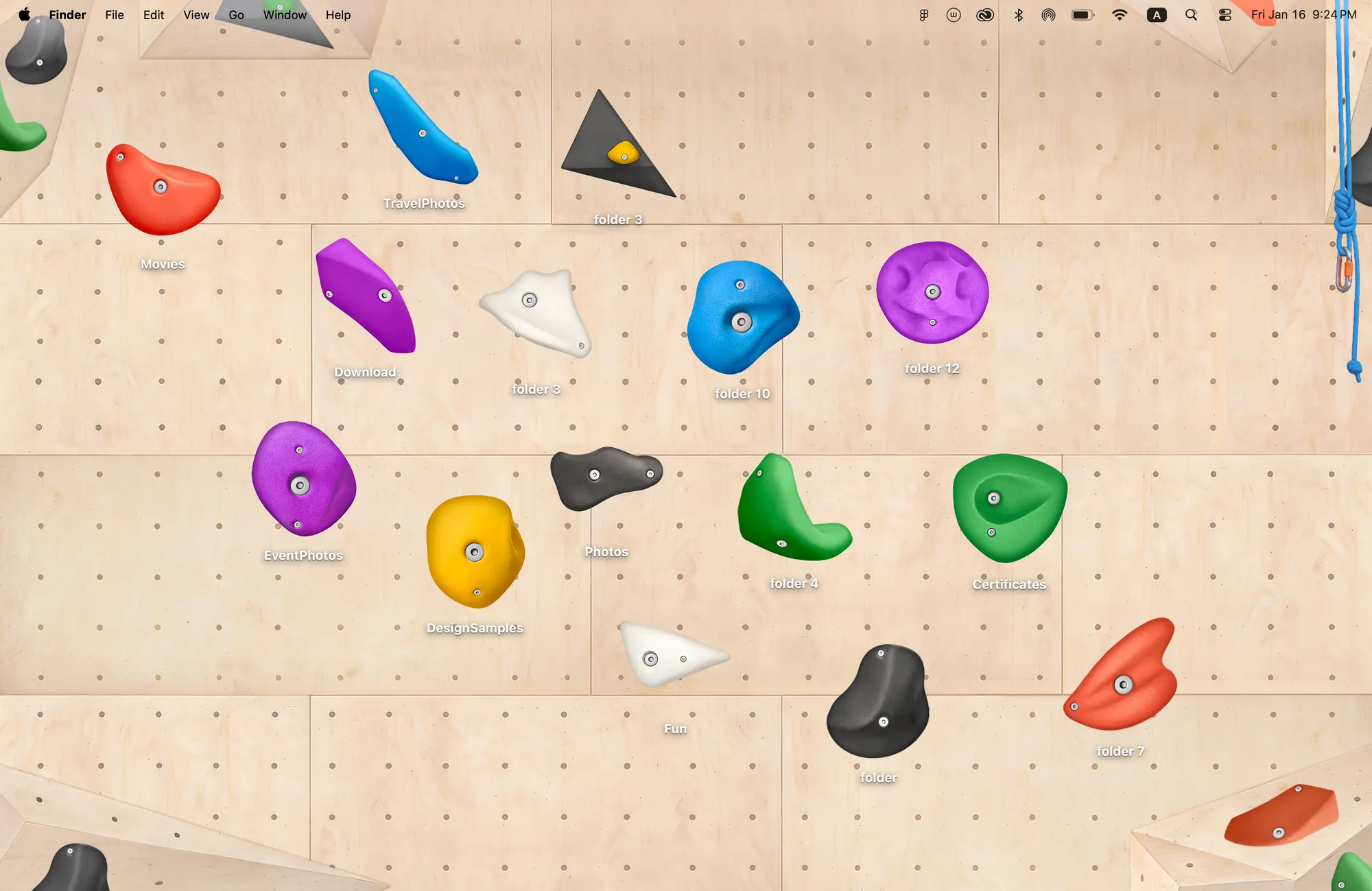
15 colorful holds on the wall. Set your own route, file by file.
What's included
- 15 folder icons: Large 5, Medium 5, Small 5
- One wallpaper, drawn together with the icons
One space, designed together
Climbing Wall is a plywood bouldering wall with bolt holes and a rope hanging at the edge. The fifteen folder icons are climbing holds in three sizes, in the bright colors you see at a real gym. Place them to set a route across your desktop, one folder at a time. The holds were drawn for this wall, so the shadows and bolts line up and the route looks climbable.
Best for
- Climbers and bouldering fans
- A sporty, energetic desktop
- People who like to set goals one step at a time
How to get this look on your MacBook
- Download Cozy from the Mac App Store. It is free to try.
- Open Cozy from the menu bar and pick Climbing Wall.
- Click Apply. Your desktop wallpaper and folder icons change together, and your MacBook home screen looks like the picture above.
FAQ
What icons are in Climbing Wall?
Fifteen climbing holds: 5 large, 5 medium and 5 small.
Can I set my own route?
Yes. Drag the holds anywhere on the wall to make a route with your folders.
Does Climbing Wall work on MacBook Air, MacBook Pro and MacBook Neo?
Yes. Cozy runs on any Mac with macOS 14 or later and fits each theme to MacBook and iMac screens.
Is Climbing Wall free?
Cozy is free to download with one free theme, Rainbow Felt. Climbing Wall is included in the one-time unlock, along with every other theme and future ones.
Can I go back to my old folder icons?
Yes. Folder icons are a standard macOS setting, and you can restore the default icons at any time.
Get the whole look on your Mac
Cozy is free to try with Rainbow Felt. One purchase unlocks every theme, including new ones.
Download Cozy on the Mac App Store