 Cozy
CozyDeep Dive
Sunlight fades. Pixel fish drift by. It's peaceful down here.
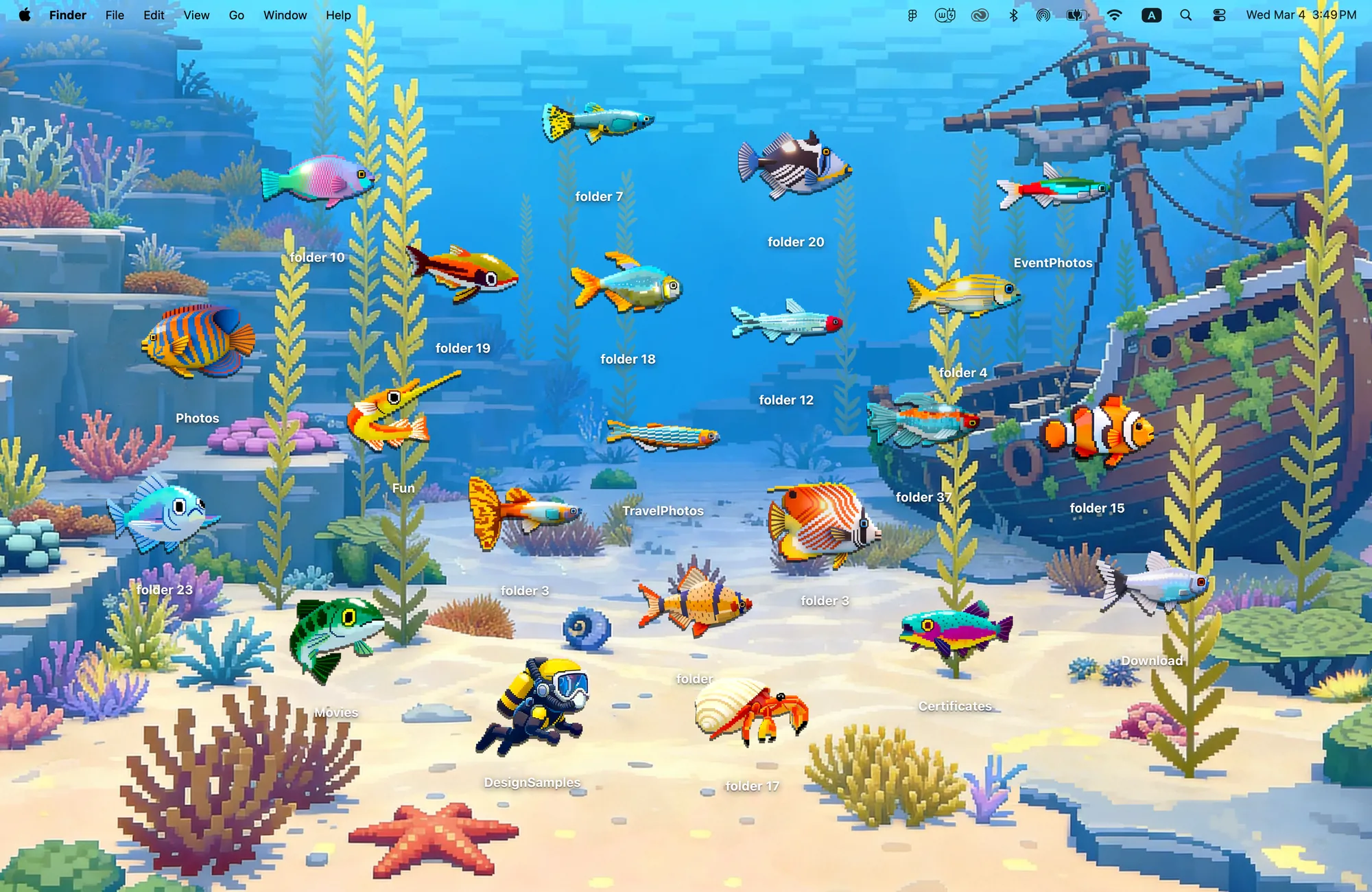
22 pixel-art creatures hiding in the reef. Every folder is a discovery.
What's included
- 22 folder icons: Fish 20, Hermit Crab 1, Diver 1
- One wallpaper, drawn together with the icons
One space, designed together
Deep Dive is a pixel art reef with coral, kelp and a sunken ship. Twenty pixel fish, a hermit crab and a diver are the folder icons, all drawn at the same pixel scale as the reef, so they swim through the scene instead of floating over it. Park a fish by the shipwreck or hide one in the kelp; every folder becomes a small discovery.
Best for
- Ocean and aquarium lovers
- Pixel art and retro game fans
- A calm blue desktop for deep focus
How to get this look on your MacBook
- Download Cozy from the Mac App Store. It is free to try.
- Open Cozy from the menu bar and pick Deep Dive.
- Click Apply. Your desktop wallpaper and folder icons change together, and your MacBook home screen looks like the picture above.
FAQ
What icons are in Deep Dive?
Twenty-two pixel creatures: 20 fish, a hermit crab and a diver.
Is Deep Dive pixel art?
Yes. The reef and every icon are drawn in the same pixel style.
Does Deep Dive work on MacBook Air, MacBook Pro and MacBook Neo?
Yes. Cozy runs on any Mac with macOS 14 or later and fits each theme to MacBook and iMac screens.
Is Deep Dive free?
Cozy is free to download with one free theme, Rainbow Felt. Deep Dive is included in the one-time unlock, along with every other theme and future ones.
Can I go back to my old folder icons?
Yes. Folder icons are a standard macOS setting, and you can restore the default icons at any time.
Get the whole look on your Mac
Cozy is free to try with Rainbow Felt. One purchase unlocks every theme, including new ones.
Download Cozy on the Mac App Store