 Cozy
CozySheep Meadow
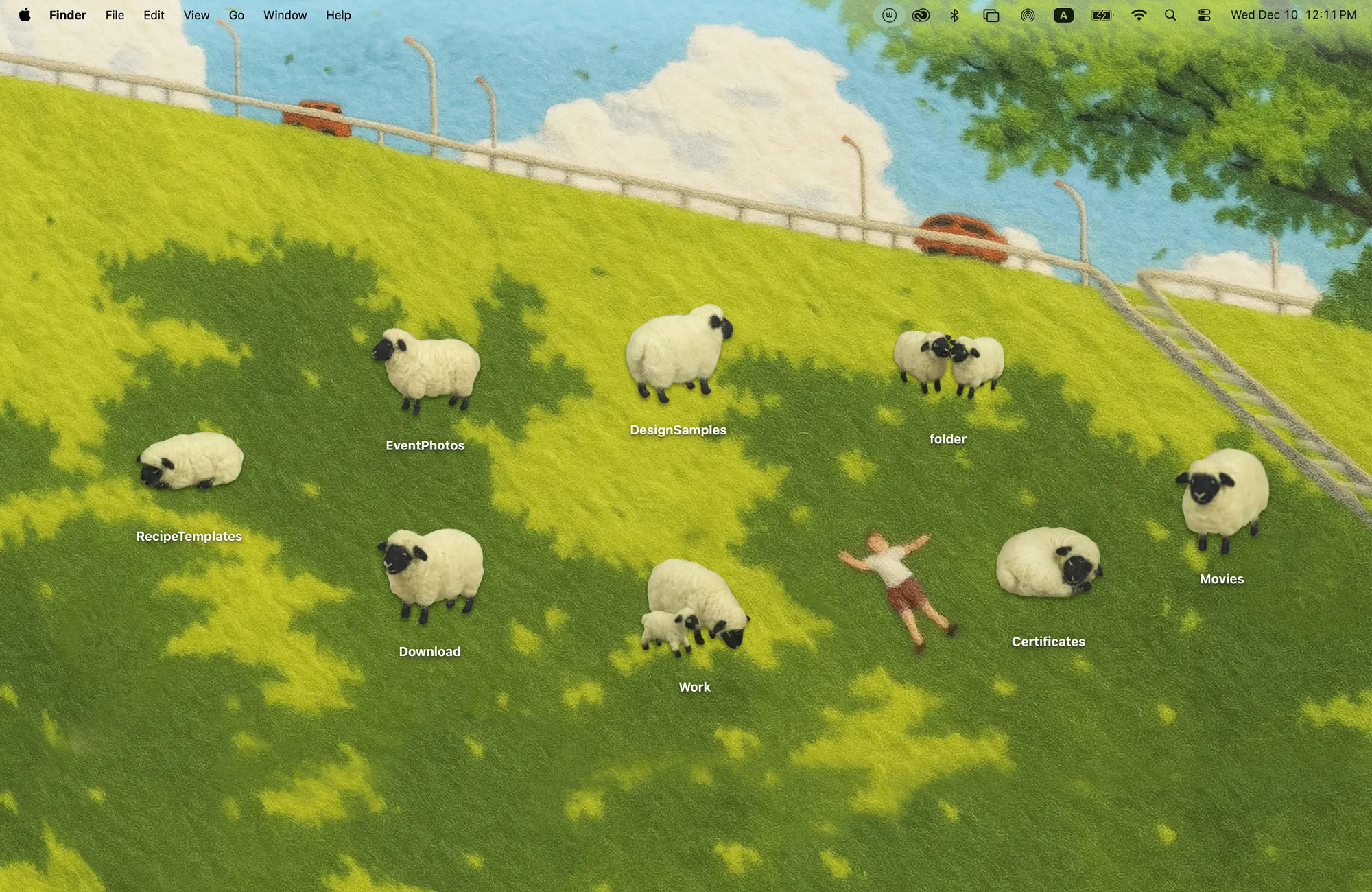
Fluffy sheep on a sunny hillside. Lay back, breathe deep, and let the slow life wash over you.
Get Sheep Meadow in Cozy for Mac
A quiet meadow with 8 fluffy sheep. Move the flock around, find your calm.
What's included
- 8 folder icons: Standing 4, Sleeping 2, Sheep Pair 1, Mama & Lamb 1
- One wallpaper, drawn together with the icons
One space, designed together
Sheep Meadow is a sunny hillside in dappled shade, with a quiet road running along the top. The eight folder icons are fluffy sheep: four standing, two sleeping, a pair together and a mother with her lamb. Move the flock into the shade or spread them across the grass. It is one of the quietest Cozy themes, made for lying back and breathing out.
Best for
- A quiet desktop with very little on it
- Mindful breaks between tasks
- Sheep lovers, obviously
How to get this look on your MacBook
- Download Cozy from the Mac App Store. It is free to try.
- Open Cozy from the menu bar and pick Sheep Meadow.
- Click Apply. Your desktop wallpaper and folder icons change together, and your MacBook home screen looks like the picture above.
FAQ
How many sheep are there?
Eight: 4 standing, 2 sleeping, a sheep pair and a mother with her lamb.
Is Sheep Meadow a good minimal theme?
Yes. With only eight icons and a soft green scene, it stays calm and uncluttered.
Does Sheep Meadow work on MacBook Air, MacBook Pro and MacBook Neo?
Yes. Cozy runs on any Mac with macOS 14 or later and fits each theme to MacBook and iMac screens.
Is Sheep Meadow free?
Cozy is free to download with one free theme, Rainbow Felt. Sheep Meadow is included in the one-time unlock, along with every other theme and future ones.
Can I go back to my old folder icons?
Yes. Folder icons are a standard macOS setting, and you can restore the default icons at any time.
Get the whole look on your Mac
Cozy is free to try with Rainbow Felt. One purchase unlocks every theme, including new ones.
Download Cozy on the Mac App Store