 Cozy
CozySpaceship Dreams
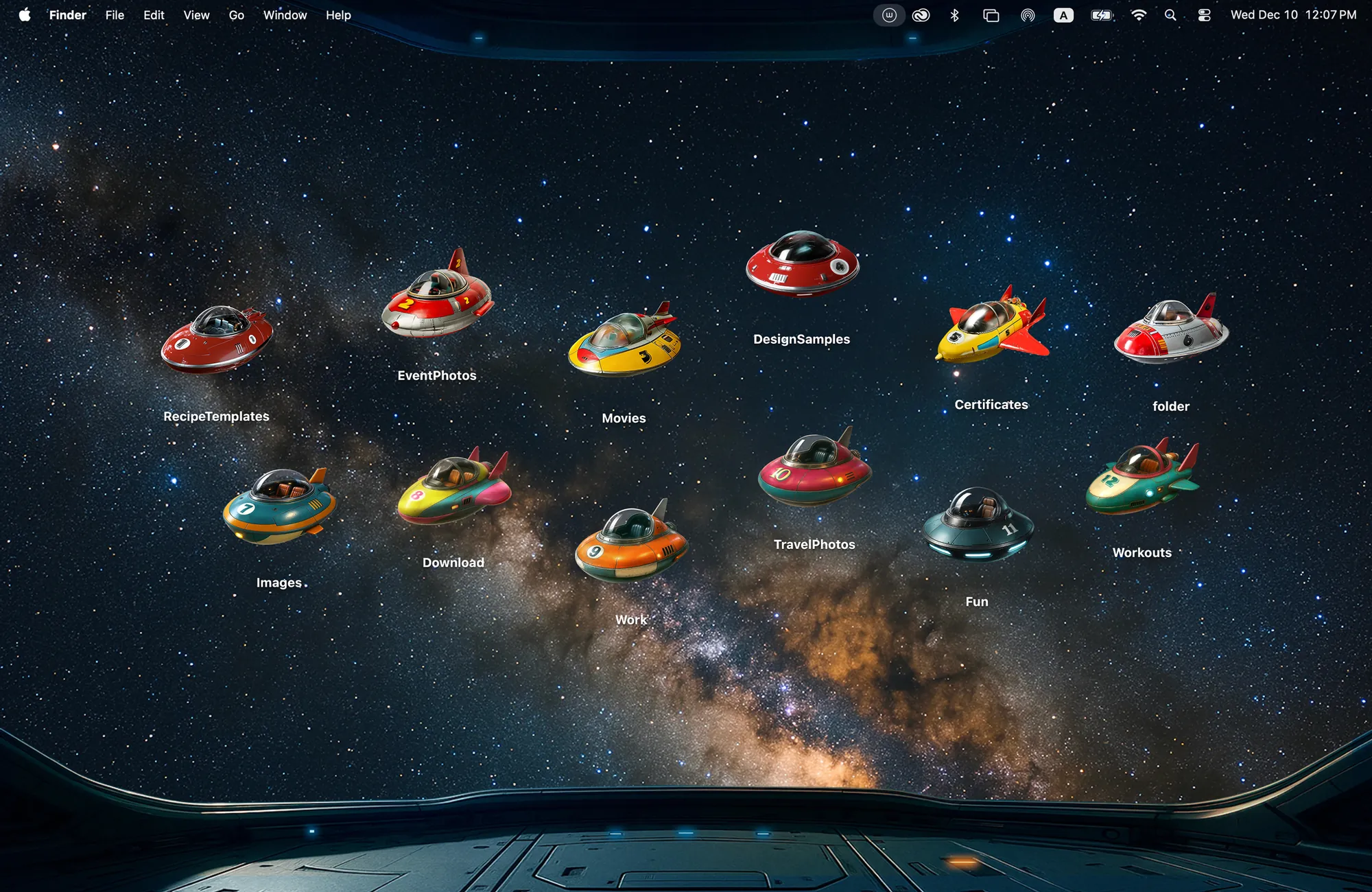
Retro rockets cruising through the stars. A cozy cockpit view of the galaxy, just for you.
Get Spaceship Dreams in Cozy for Mac
Scatter 12 ships across the stars and command your own little galaxy.
What's included
- 12 folder icons: Saucers 7, Rockets 2, Cruisers 3
- One wallpaper, drawn together with the icons
One space, designed together
Spaceship Dreams puts you in a cockpit looking out at the Milky Way. The twelve folder icons are retro toy ships: seven saucers, two rockets and three cruisers, painted in the same glossy colors. Scatter them across the stars and command your own little fleet. The dark sky keeps the screen calm at night, and the ships add just enough color to find your folders fast.
Best for
- Space fans
- A dark desktop for night work
- Kids and adults who still love toy rockets
How to get this look on your MacBook
- Download Cozy from the Mac App Store. It is free to try.
- Open Cozy from the menu bar and pick Spaceship Dreams.
- Click Apply. Your desktop wallpaper and folder icons change together, and your MacBook home screen looks like the picture above.
FAQ
What icons are in Spaceship Dreams?
Twelve ships: 7 saucers, 2 rockets and 3 cruisers.
Is it a dark wallpaper?
Yes. It is a deep starfield, which works well in dark mode.
Does Spaceship Dreams work on MacBook Air, MacBook Pro and MacBook Neo?
Yes. Cozy runs on any Mac with macOS 14 or later and fits each theme to MacBook and iMac screens.
Is Spaceship Dreams free?
Cozy is free to download with one free theme, Rainbow Felt. Spaceship Dreams is included in the one-time unlock, along with every other theme and future ones.
Can I go back to my old folder icons?
Yes. Folder icons are a standard macOS setting, and you can restore the default icons at any time.
Get the whole look on your Mac
Cozy is free to try with Rainbow Felt. One purchase unlocks every theme, including new ones.
Download Cozy on the Mac App Store