 Cozy
CozyPuppy Playground
Soft paws, warm hearts, and endless fun. Fluffy pups play on pink grass all day long.
Get Puppy Playground in Cozy for Mac
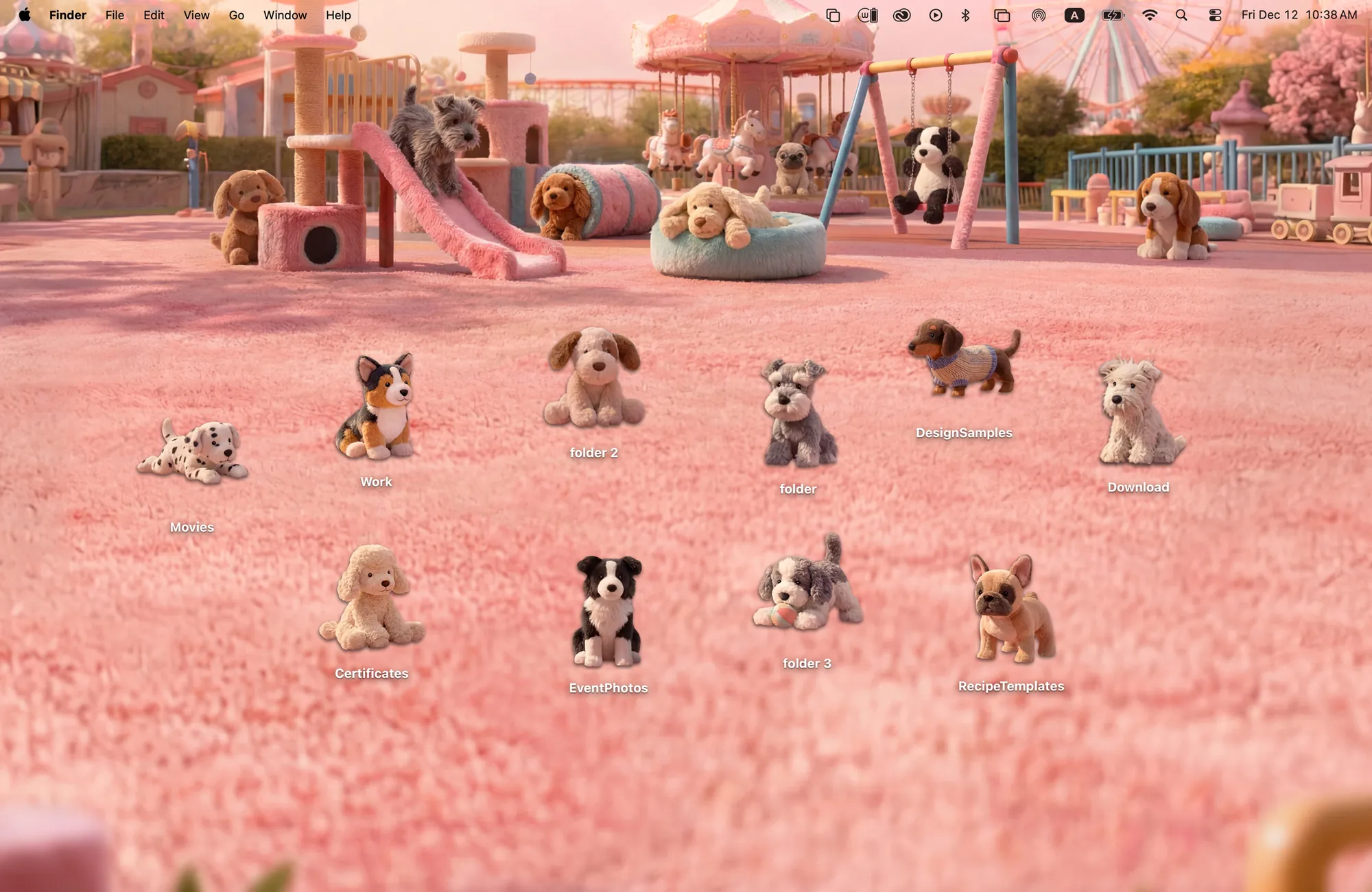
10 plush pups waiting for you on the slides, swings, and tunnels.
What's included
- 10 folder icons: Puppies 10
- One wallpaper, drawn together with the icons
One space, designed together
Puppy Playground is a pink plush park with slides, swings, tunnels and a carousel in the distance. The ten folder icons are stuffed puppies of different breeds, from a corgi to a dachshund in a sweater. Set them on the grass, on the slide or by the swings and the park fills up with friends. The fuzzy pink ground and the puppies' fur were drawn with the same soft texture, so the whole desktop feels like one toy world.
Best for
- Dog lovers
- A soft pink desktop
- Anyone who wants their Mac to feel a little more playful
How to get this look on your MacBook
- Download Cozy from the Mac App Store. It is free to try.
- Open Cozy from the menu bar and pick Puppy Playground.
- Click Apply. Your desktop wallpaper and folder icons change together, and your MacBook home screen looks like the picture above.
FAQ
How many puppies are in Puppy Playground?
Ten plush puppy folder icons.
Does Puppy Playground work on MacBook Air?
Yes. Cozy fits themes to MacBook and iMac screens automatically.
Does Puppy Playground work on MacBook Air, MacBook Pro and MacBook Neo?
Yes. Cozy runs on any Mac with macOS 14 or later and fits each theme to MacBook and iMac screens.
Is Puppy Playground free?
Cozy is free to download with one free theme, Rainbow Felt. Puppy Playground is included in the one-time unlock, along with every other theme and future ones.
Can I go back to my old folder icons?
Yes. Folder icons are a standard macOS setting, and you can restore the default icons at any time.
Get the whole look on your Mac
Cozy is free to try with Rainbow Felt. One purchase unlocks every theme, including new ones.
Download Cozy on the Mac App Store