 Cozy
CozyPink Room
A glamorous pink bedroom with all your favorite outfits. Bold, dreamy, and totally you.
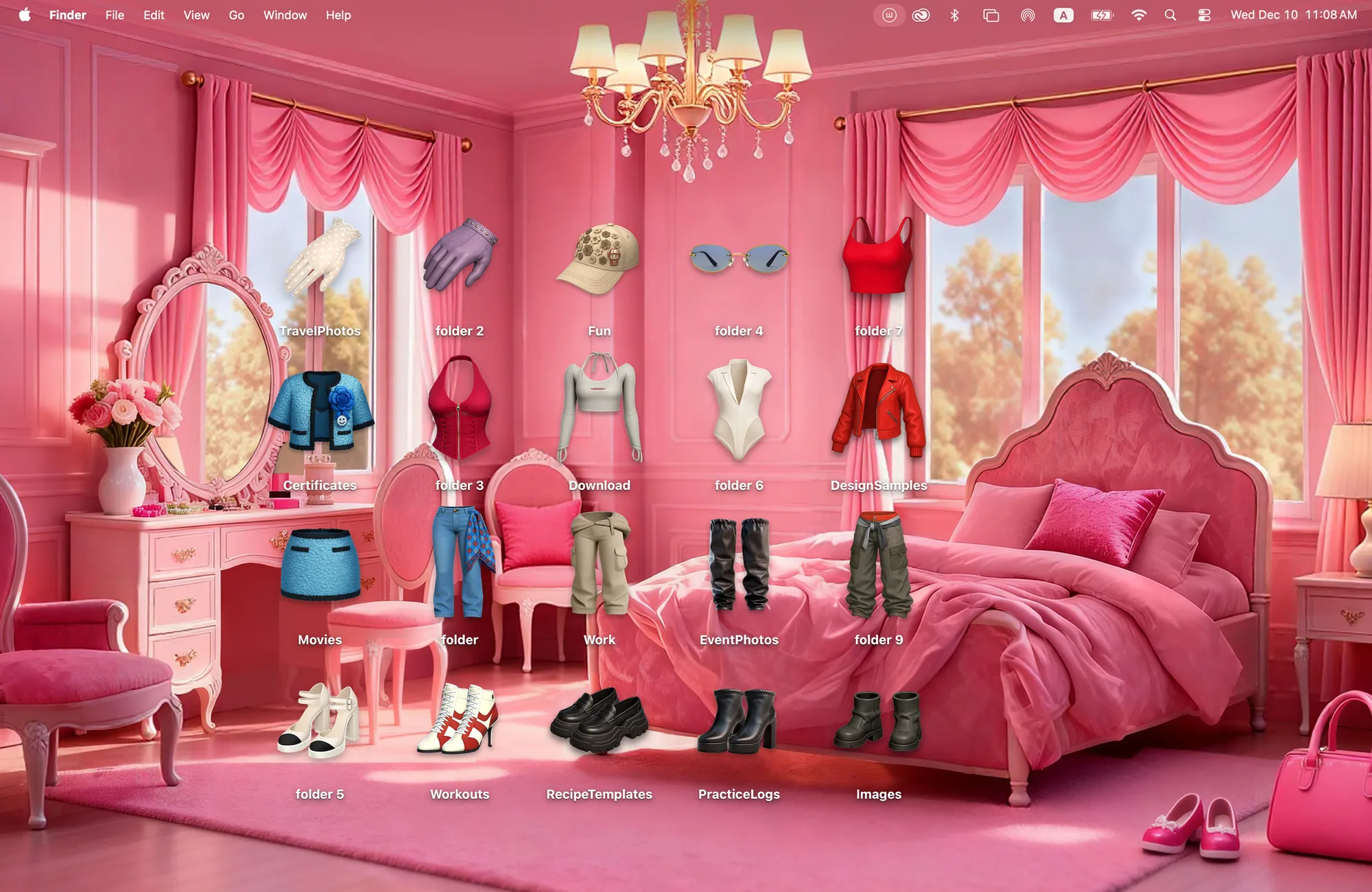
Tops, shoes, accessories. Style your desktop like a dreamy pink closet.
What's included
- 20 folder icons: Tops 6, Bottoms 4, Shoes 6, Accessories 4
- One wallpaper, drawn together with the icons
One space, designed together
Pink Room is a glamorous pink bedroom with a vanity, a canopy bed and a chandelier. The twenty folder icons are the wardrobe itself: six tops, four bottoms, six pairs of shoes and four accessories. Hang the tops in a row, line the shoes along the floor, and your folders turn into a closet you get to style every day. Because the room and the clothes were drawn together, the pinks, the light and the shadows all match.
Best for
- Fashion lovers and outfit planners
- A coquette, girly desktop
- Sorting folders the way you would sort a closet
How to get this look on your MacBook
- Download Cozy from the Mac App Store. It is free to try.
- Open Cozy from the menu bar and pick Pink Room.
- Click Apply. Your desktop wallpaper and folder icons change together, and your MacBook home screen looks like the picture above.
FAQ
What icons are in Pink Room?
Twenty clothing icons: 6 tops, 4 bottoms, 6 shoes and 4 accessories.
Can I arrange the clothes myself?
Yes. Every icon is a folder you can drag anywhere, so you can style the room your own way.
Does Pink Room work on MacBook Air, MacBook Pro and MacBook Neo?
Yes. Cozy runs on any Mac with macOS 14 or later and fits each theme to MacBook and iMac screens.
Is Pink Room free?
Cozy is free to download with one free theme, Rainbow Felt. Pink Room is included in the one-time unlock, along with every other theme and future ones.
Can I go back to my old folder icons?
Yes. Folder icons are a standard macOS setting, and you can restore the default icons at any time.
Get the whole look on your Mac
Cozy is free to try with Rainbow Felt. One purchase unlocks every theme, including new ones.
Download Cozy on the Mac App Store